Learn how to file sales tax online in Alabama with step-by-step instructions including screenshots.



Let’s get right into the steps to filing sales tax returns for businesses in Alabama.
To begin, navigate to the My Alabama Taxes website and log into your MAT account using your username and password.
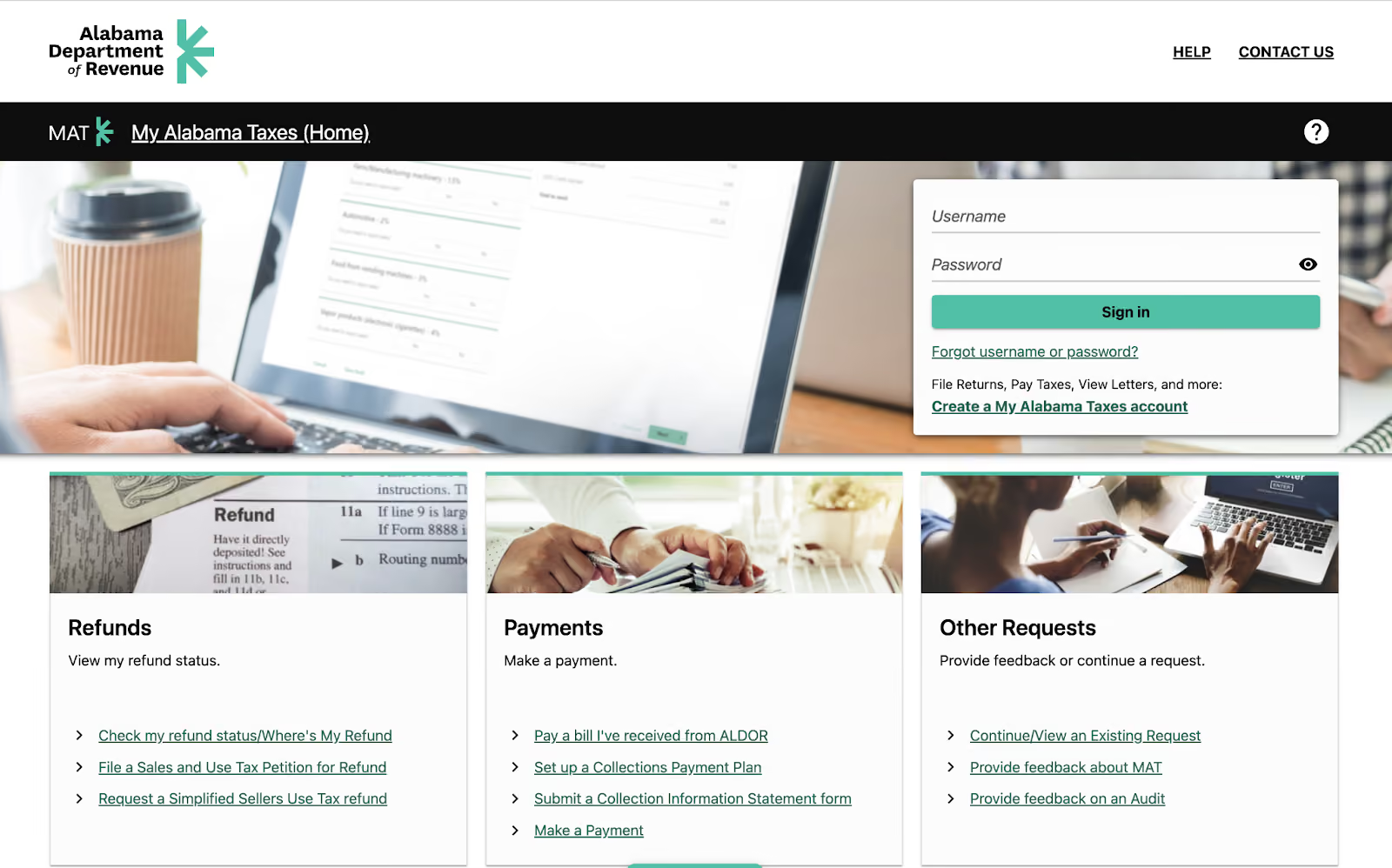
If you haven't registered for an account yet, click “Create a My Alabama Taxes account” and follow the registration instructions provided on the website.
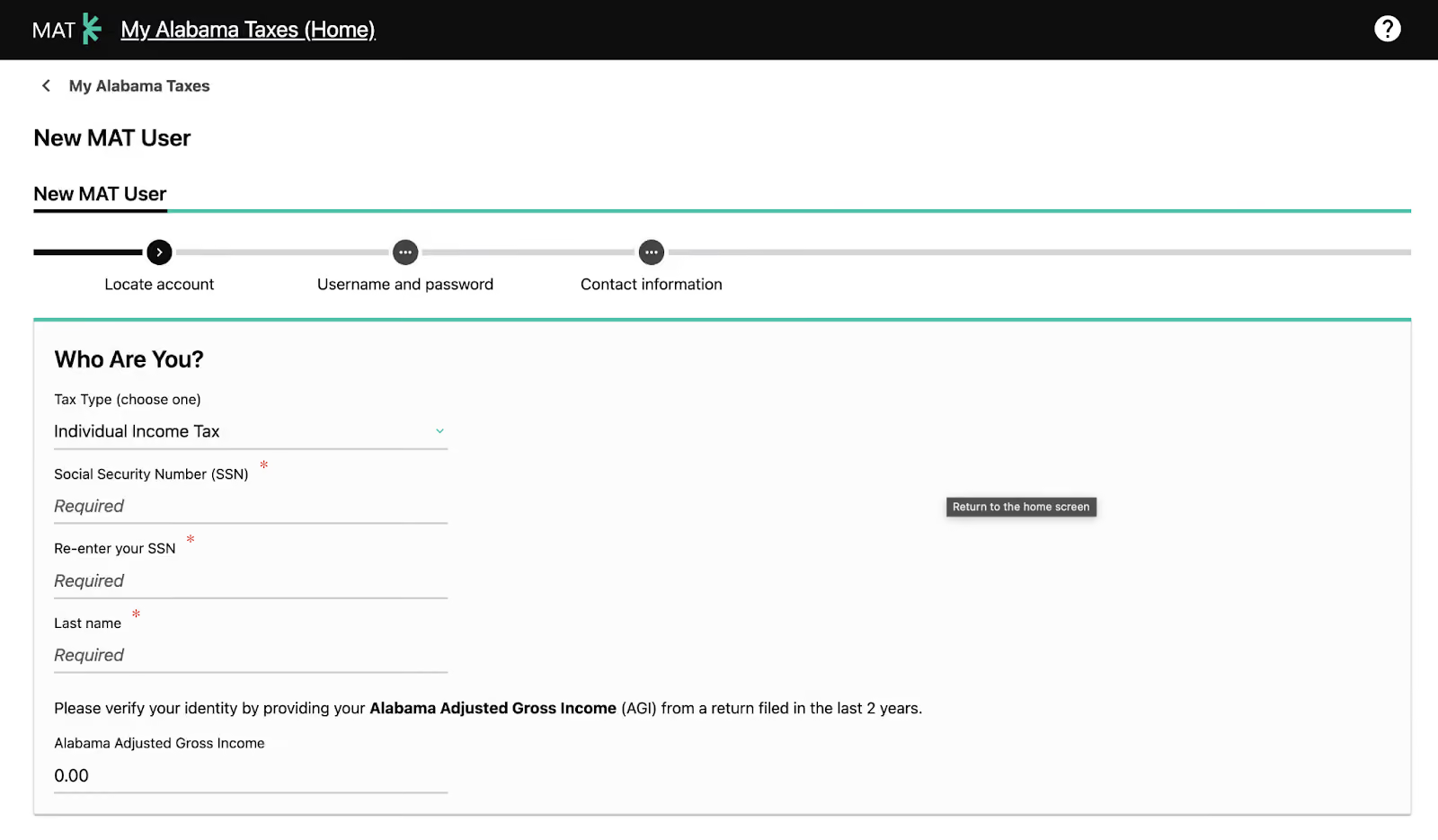
During registration, you will need to create a username, and password (alphanumeric, 8-16 characters long, with at least one number and one letter), and provide a valid email address for receiving confirmation emails and authorization code messages.
Once you've successfully logged into your MAT account, locate the "File or View Returns and Periods" link within the account section.
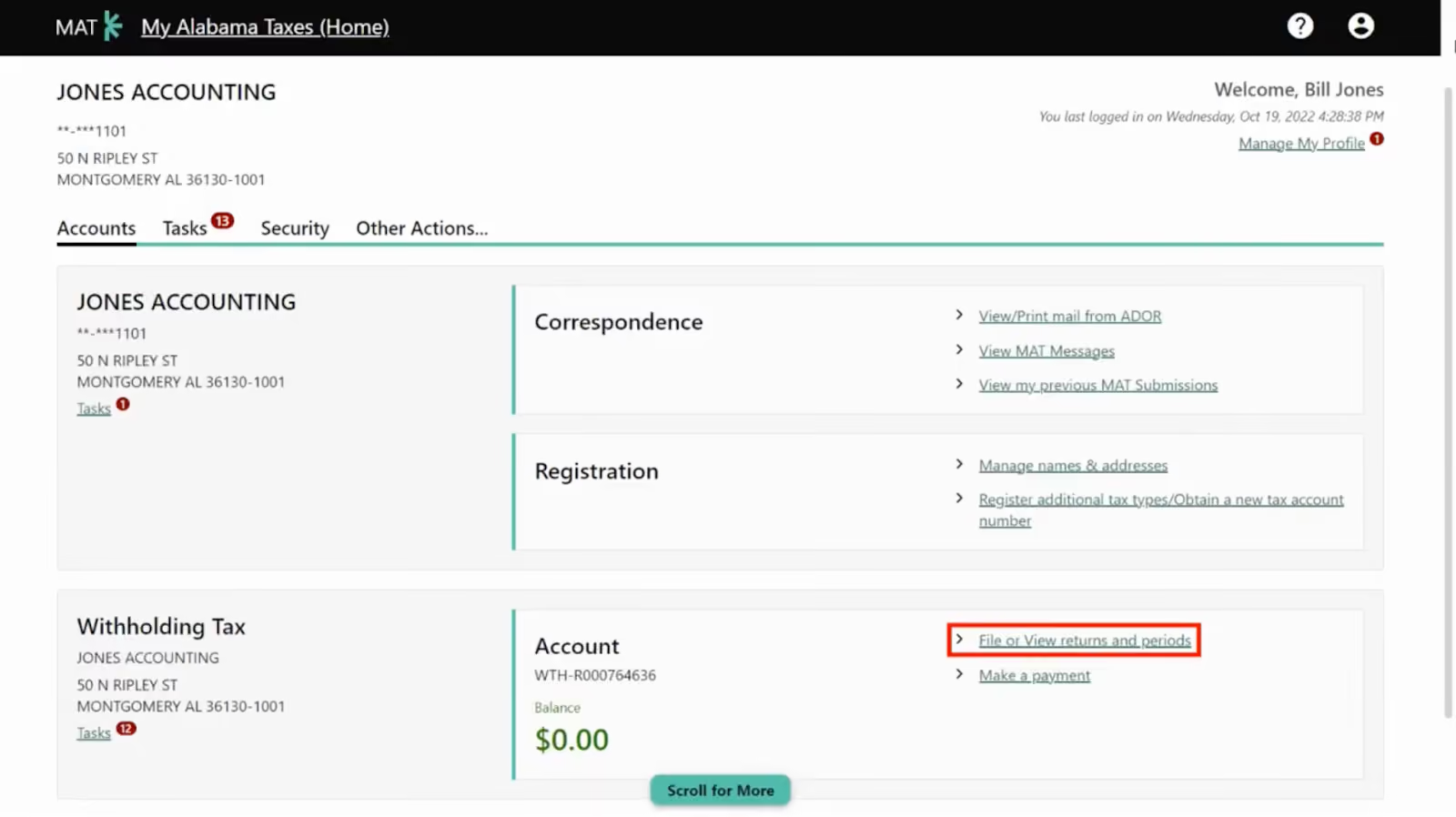
Click on this link to access the returns page, where you will find a list of all your returns.
On the returns page, identify the specific period and return you wish to file. Next to the corresponding return, you will see a "File Now" link.
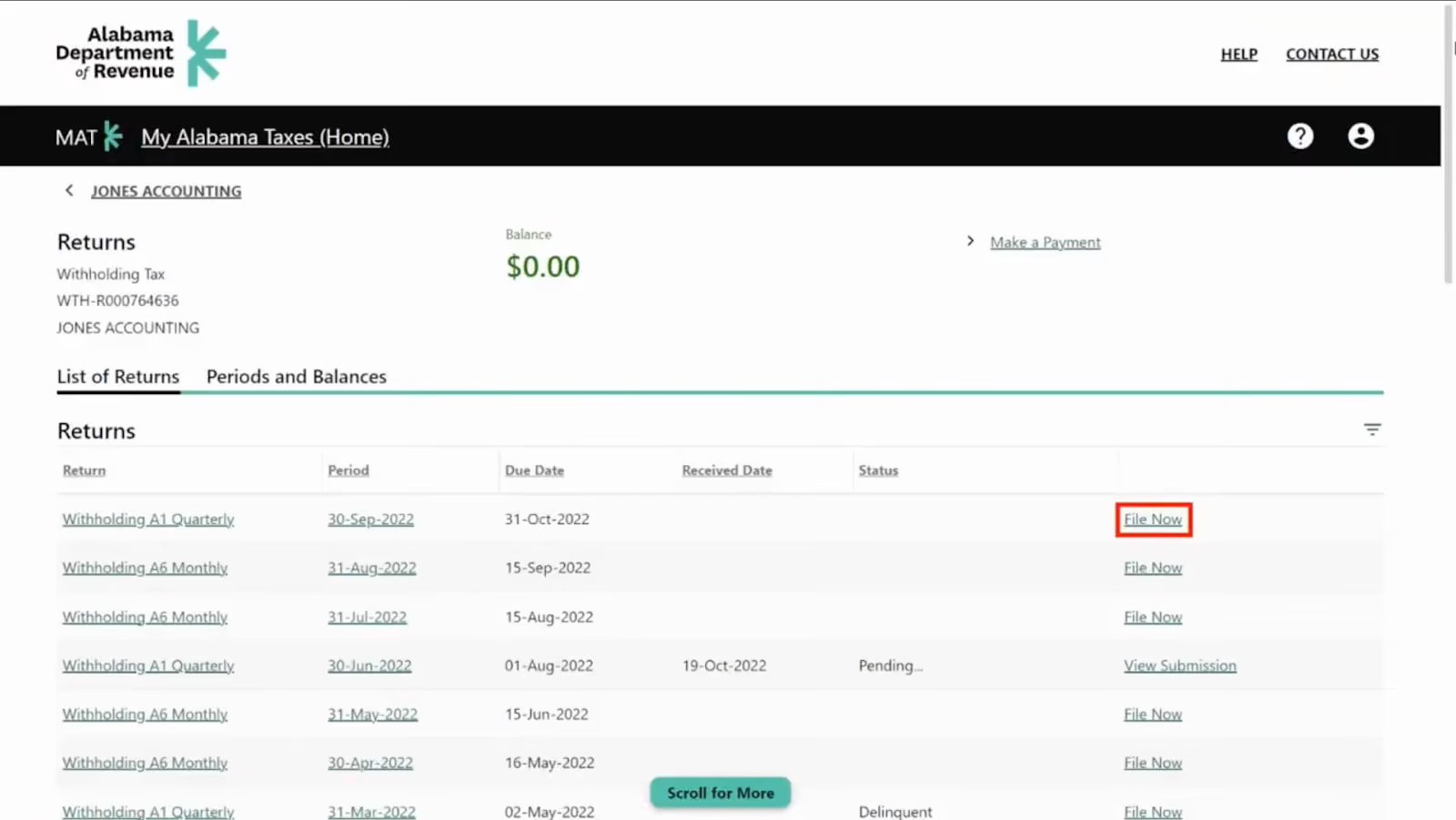
Click on this link to initiate the filing process for that particular return.
After clicking the "File Now" link, you will be directed to the return filing interface. Here, you will need to complete all the necessary fields with accurate information.
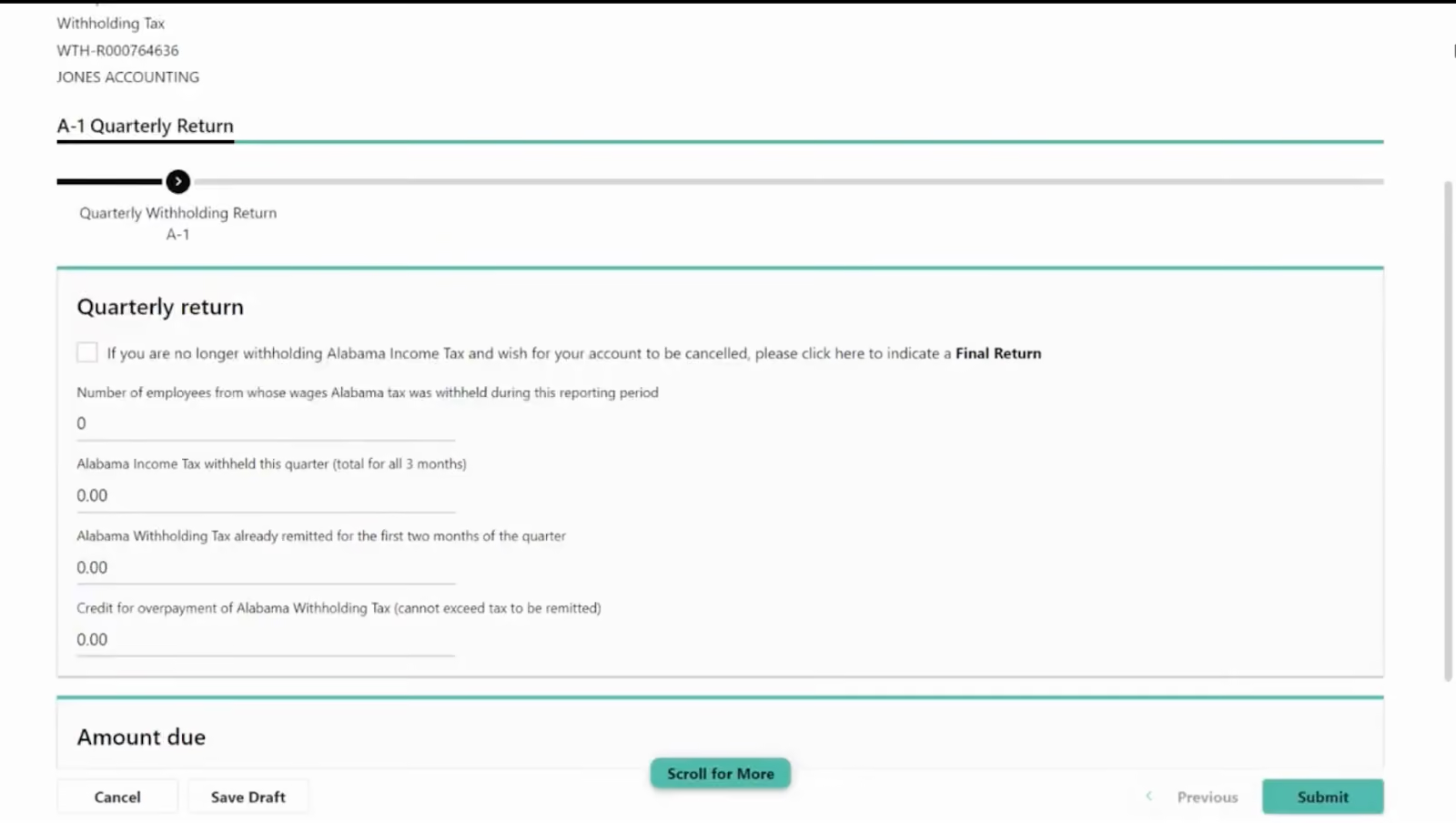
Take your time to ensure that all the details you enter are correct and complete.
Once you have thoroughly reviewed and completed all the required fields, click on the "Submit" button to officially file your return.
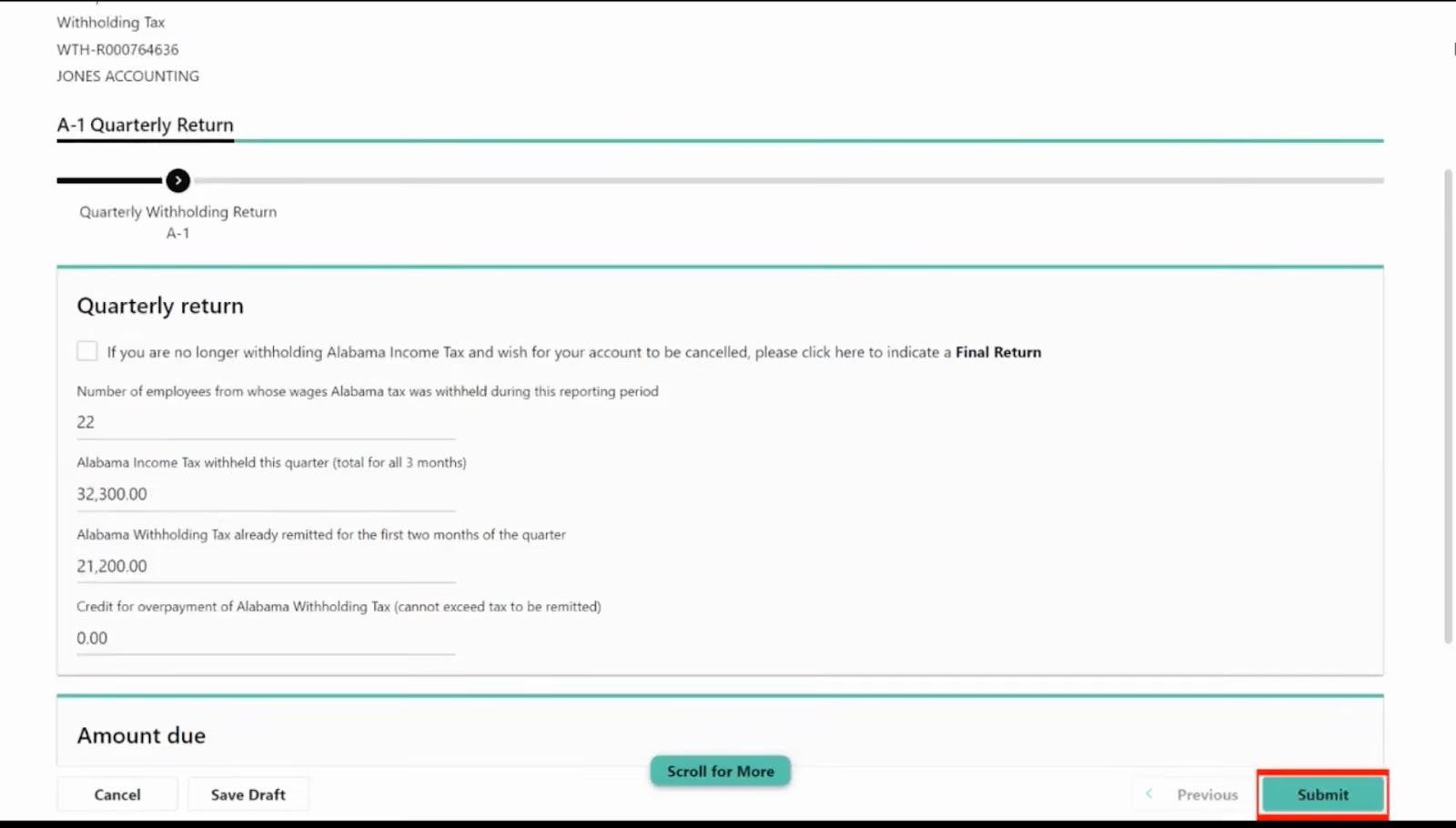
A confirmation window will appear, displaying buttons for further actions. It's important to note that the availability of certain action buttons may vary depending on the type of return you are filing.
After submitting your return, you will have different options regarding how to proceed. These options are determined by the specific type of return you have filed.
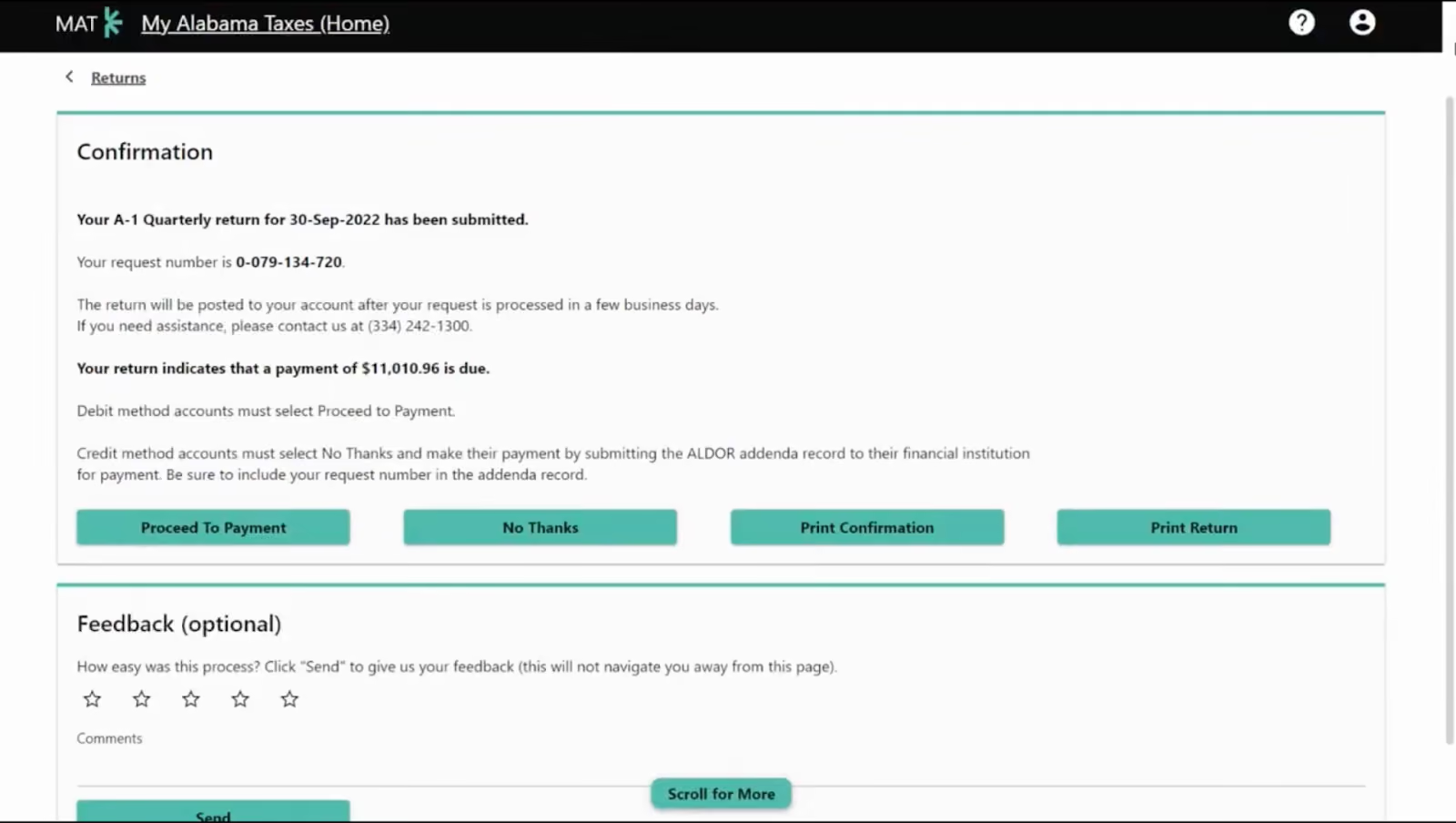
Some common post-submission actions include printing a copy of your confirmation page, viewing the history of previously submitted returns, and amending returns if necessary.
In addition to Alabama state sales tax, businesses in Alabama may also be required to file local sales tax returns. It's crucial to understand the local tax requirements specific to your business location.
What do I need to sign up for MAT?
To sign up for MAT, you will need an account number (ADOR 10-digit account number), a sign-on ID (assigned during account registration), an access code (assigned during account registration), and a valid email address.
What are the benefits of filing online using MAT?
Filing online using MAT offers several benefits, including the ability to view your returns for accuracy, print confirmation pages, view previously submitted returns, amend returns, view credits and balances, save and exit feature, verify wholesale customers' sales tax numbers, and make changes or amend returns (except for local tax returns).
Are there any payment requirements for tax accounts?
Yes, all tax account payments of $750 or more must be made electronically through MAT.
What happens if my login attempts fail?
If your login attempts fail after three tries, you must contact ADOR to have your password reset.
Are SaaS products taxable in Alabama?
No, Alabama does not tax SaaS products in most cases. The state classifies software as a service (SaaS) as tangible personal property, unless it has a downloadable or physical component.
Managing sales tax compliance in Alabama can be a challenging and time-consuming task for businesses of all kinds. With complex regulations and multiple jurisdictions to navigate, it's easy to feel overwhelmed. That's where Numeral comes in—we're here to simplify the process and take the burden off your shoulders.
Our white-glove sales tax service is designed specifically for businesses operating in Alabama. Our team of experienced professionals will handle every aspect of your sales tax compliance, ensuring you stay on top of your obligations and avoid any potential pitfalls.
With Numeral, you can say goodbye to the hassle of tracking nexus in Alabama, registering with the state, collecting the correct tax amounts, and filing returns on time. We'll take care of it all, so you can focus on what matters most—running and growing your business.
When you partner with Numeral for your Alabama sales tax needs, you get:
Don't let sales tax compliance be a roadblock to your success. Book a demo with Numeral today and discover how our white-glove service can streamline your sales tax processes, giving you peace of mind and more time to focus on your business.
The trusted solution for U.S. sales tax, VAT, and GST compliance, used by 3,500+ global businesses.