Businesses that need to collect Texas sales tax apply for a Sales and Use Tax Permit from the Texas Comptroller of Public Accounts. The permit is free and you can apply online through eSystems, though the Comptroller may ask some applicants to post security. Remote sellers need one once their Texas revenue reaches $500,000 in the previous 12 months.
You need a Texas Sales and Use Tax Permit if you're engaged in business in Texas and you sell, lease, or rent taxable goods or provide taxable services there.
That includes SaaS in Texas, which the state treats as a taxable data processing service.
If you have no physical presence in Texas, you need a permit once you cross the Texas economic nexus threshold: $500,000 in total Texas revenue over the previous 12 calendar months. Texas has no transaction-count threshold.
Texas counts everything you sold into the state, not only taxable sales:
You must have a permit and start collecting by the first day of the fourth month after the month you crossed $500,000.
For example, if you cross it in May, you need to be collecting by September 1.
If you crossed the threshold in the past and never registered, a voluntary disclosure agreement can reduce the penalties on back taxes.
An office, employees, sales representatives, or inventory in Texas creates physical nexus, so you need a permit regardless of sales volume. So does exhibiting at a Texas trade show.
Sellers with physical presence need the permit before they make taxable sales.
The one exception is inventory stored in a marketplace's Texas warehouse, covered in the next section.
Texas's marketplace facilitator law requires Amazon, Etsy, and other marketplaces to collect tax on third-party sales. Whether you still need your own permit depends on where you're based:
If your only Texas presence is inventory stored at a marketplace's Texas facility, as with many Amazon FBA sellers, you don't need a permit while your Texas revenue stays under $500,000. That only applies if the marketplace has certified it will collect and remit the tax for you.
Once you pass $500,000, you need a permit like any other seller. Affiliate relationships can also create sales tax nexus in Texas.
You must be at least 18 to apply. A parent or legal guardian can apply for a minor.
If any owner, partner, officer, or director doesn't have a Social Security number, you can't use the online application. You'll need the paper form, covered in step 1 below.
The application also asks:
Most businesses apply online through the Comptroller's eSystems portal. Go to the Texas Online Tax Registration Application page and select Apply for Permit via eSystems.

Use Form AP-201, Texas Application instead if an owner, partner, officer, or director has no Social Security number. Email the completed form to sales.applications@cpa.texas.gov, fax it to 512-936-0010, or mail it to the Comptroller's office in Austin.

Go to the eSystems login page. If you already file any Texas tax online, log in with that account. Otherwise, select Create Profile.
Tip: eSystems times out after 30 minutes of inactivity, and unsaved work is lost. Saved applications stay under Resume an Existing Application for 10 days, then they're deleted.

Creating a profile takes four screens: User Information, Security Questions, Terms of Use, and Complete. You'll need an email address you can verify with a code and a phone number.
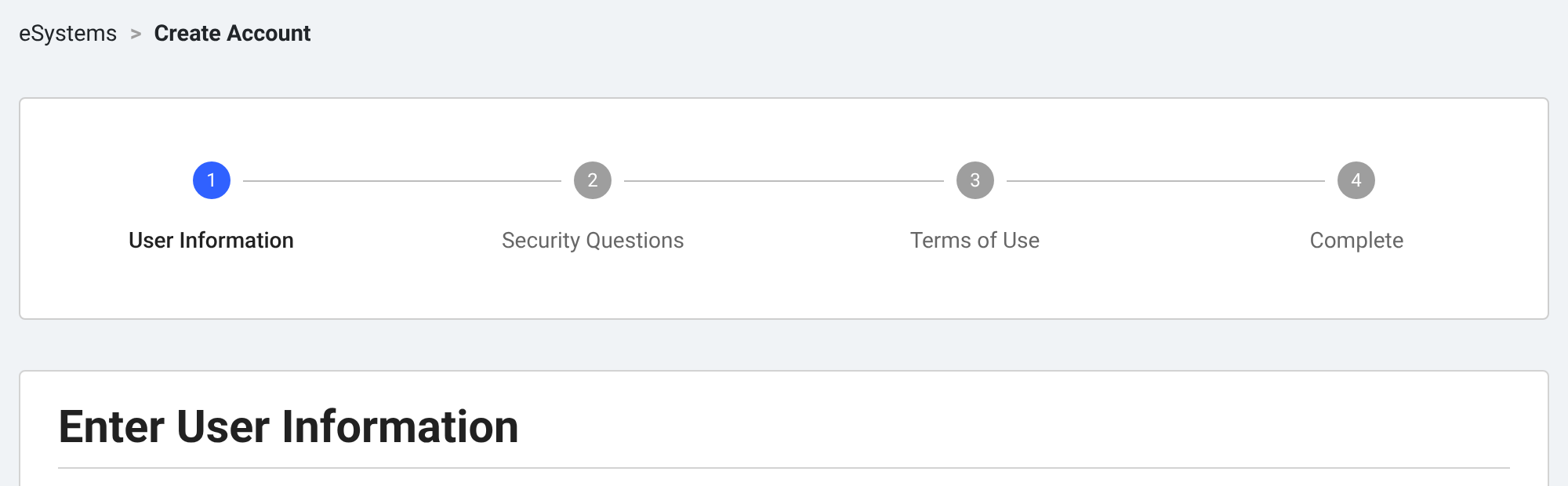
From the eSystems menu, select Apply for Sales and Use Tax Permit, then start a new application.
Select your ownership type, such as sole owner, partnership, corporation, or LLC.
On the Ownership Details screen, enter your legal name, FEIN, state of formation, phone number, and mailing address. If the Comptroller has issued you a Texas taxpayer number before, enter it here.
On Management Details, enter each owner, partner, officer, or director. You'll need their Social Security number and confirmation that they're at least 18.
On Business Details, pick the range that matches your expected quarterly sales. Then list any Texas warehouses, offices, or distribution points that aren't set up as business locations.
The next screen asks whether you bought an existing business. If you did, enter the previous owner's details and purchase information.
Warning: If you buy a Texas business and the previous owner owes sales tax, you become liable for it. Request a certificate of no tax due from the Comptroller before the sale closes.
Enter your mailing address and a contact person. Then add each Texas business location and the date of your first taxable sale there.
Use a street address. The application doesn't accept P.O. boxes or rural routes for business locations.
The Business Activity screen asks about your Texas presence. It covers offices and warehouses, sales reps, onsite services, trade shows, affiliates, and whether you sell online or run a marketplace.
It also asks whether you sell products with their own taxes or fees, such as alcohol, e-cigarettes, or fireworks.
Remote sellers can elect the single local use tax rate on the application. See the single local use tax rate section below before you choose.
Check the Application Summary page, fix anything that's wrong, and submit. There's no fee.
Print or save the summary page for your records. If the Comptroller decides you need to post security, it will contact you after reviewing the application.
The Comptroller mails your permit, usually within 2–3 weeks. It shows your 11-digit Texas taxpayer number, which you'll use to file returns.
If you have more than one Texas location, you'll get a separate permit for each one under the same taxpayer number. Post each permit where customers can see it at that location.
A Texas sales tax permit is free. There's no charge for additional locations and no renewal fee.
The Comptroller can require security before or after issuing a permit. It sets the amount based on how much tax you're expected to owe.
The most it can require is the greater of $100,000 or four times your average monthly tax liability. Accepted forms include a surety bond, cash, a certificate of deposit, and a bank letter of credit.
The Comptroller says to allow 2–3 weeks to receive your permit. It doesn't publish separate processing times for online and paper applications.
Texas lets remote sellers skip local rate lookups. Instead of charging each customer's combined local rate, which can reach 2%, you can collect a flat 1.75% local use tax on every Texas sale. With the 6.25% state rate, that's 8% everywhere in Texas.
You can choose this on your permit application or later with Form 01-799. It's only for remote sellers. Businesses with physical presence in Texas and marketplace providers can't use it.
An election has to start on the first day of a reporting period. If you revoke it later, you keep using 1.75% through the end of that calendar year. If the Comptroller gets your revocation on or after October 1, you keep using it through the end of the following year.

Charge Texas sales tax from your permit's effective date: the 6.25% state rate plus any local rates.
Remote sellers must be collecting by the first day of the fourth month after crossing $500,000.
After approval, the Comptroller sends a letter assigning you to monthly or quarterly filing:
You file Texas sales tax returns by the 20th of the month after each period. If you file and pay on time, you can keep 0.5% of the tax you collected as a timely filing discount.
You have to file every return, even for periods with no sales.
The permit doesn't expire. It stays valid while you're actively selling in Texas, and the Comptroller can cancel it if you stop.
If the business changes hands, the new owner needs a new permit. Registration rules in other states differ, and several require annual renewal.
No. An EIN is a federal tax ID from the IRS. A sales tax permit is the Comptroller's authorization to collect Texas sales tax, and it comes with its own 11-digit Texas taxpayer number.
Yes. The Comptroller accepts applications without a federal ID number. Sole owners can use their Social Security number.
Yes, for each place of business in Texas. Every permit falls under the same taxpayer number, so you still file one return.
If your other locations are all outside Texas, they share a single permit.
Yes. Sellers at temporary Texas locations, such as fairs and trade shows, need a Texas sales and use tax permit. There's no fee to apply.
It depends on where you're based. Out-of-state sellers don't need one if Amazon certifies that it collects Texas tax for them.
Amazon's certification covers sales made through its marketplace, whether or not you use FBA. Sales through your own website aren't covered, and they still count toward the $500,000 threshold.
Texas-based sellers need a permit even if Amazon handles every sale.
Yes. A permit belongs to the owner it was issued to and can't be transferred. If you change ownership, apply for a new one, even at the same address.
Numeral is an end-to-end sales tax compliance platform for ecommerce and SaaS businesses. Top brands like Ridge, Muddy Bites, Graza, and Grüns spend less than five minutes a month on sales tax.
Learn more
