Learn how to file sales tax online in Utah with step-by-step instructions including screenshots.



Let’s get right into the steps for filing your sales tax in Utah. We’ll start with creating an account on the Utah TAP. However, if you already have an account, skip to step 2 where you can start with logging in.
To get started, you need to create an account on the Utah Taxpayer Access Point (TAP) website.
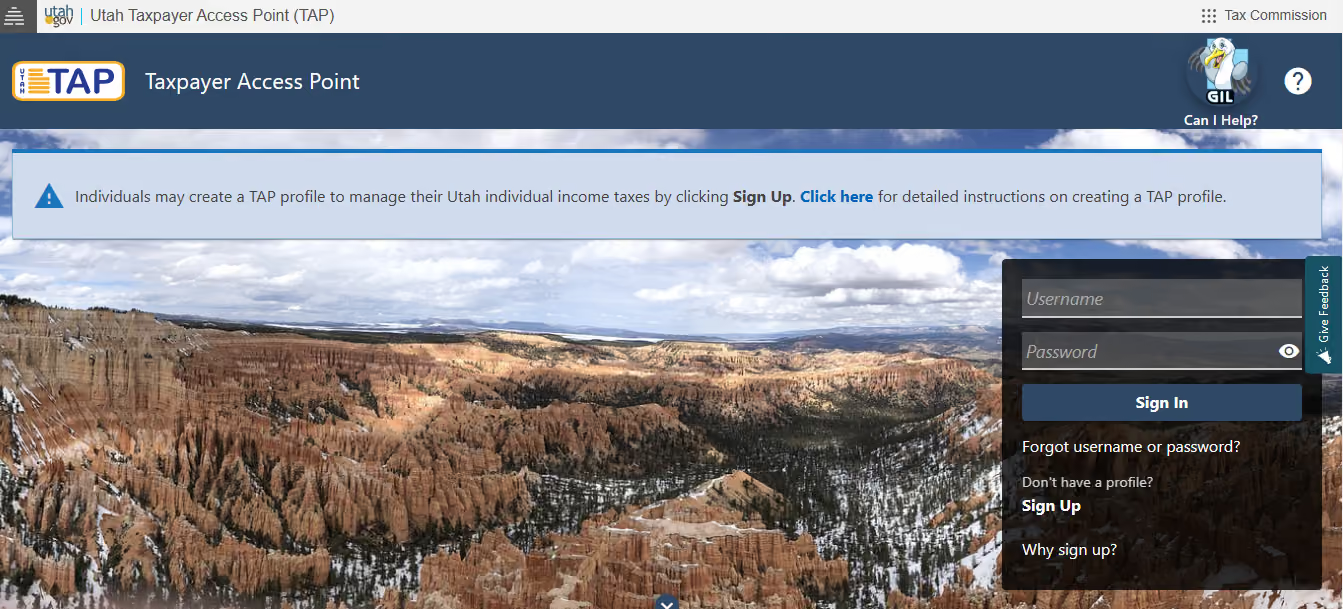
During the registration process, you will be asked to provide details about your business to receive a sales tax license.
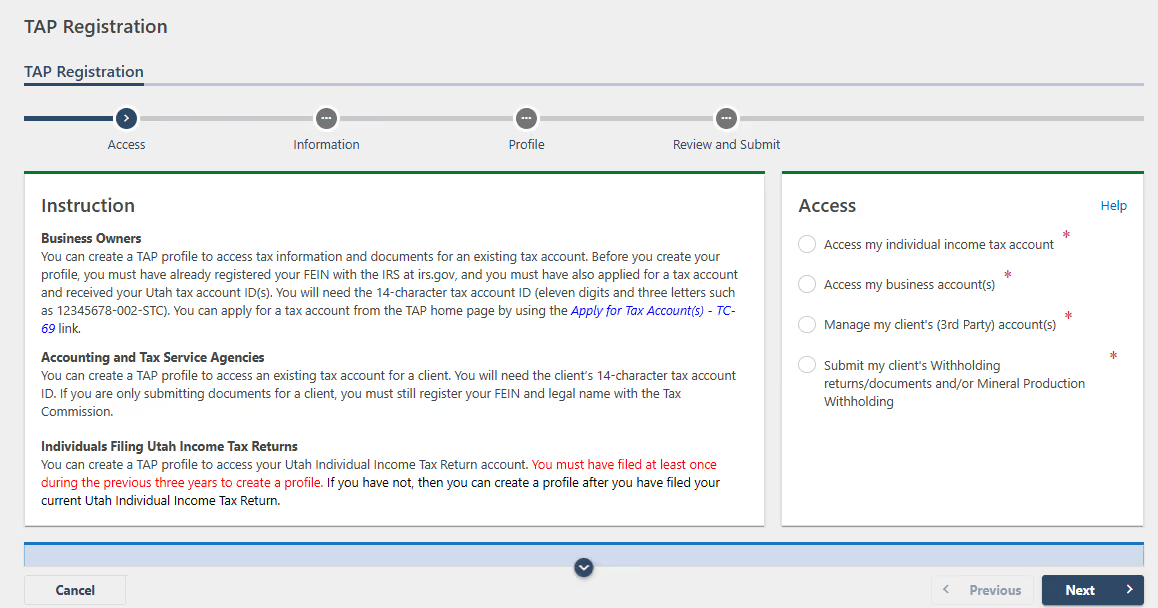
Click on the "Sign Up" button and share all the required information to obtain your username and password.
After successfully creating your account, log in to the TAP portal using your credentials.
This will grant you access to your account and allow you to prepare for filing your sales tax return.
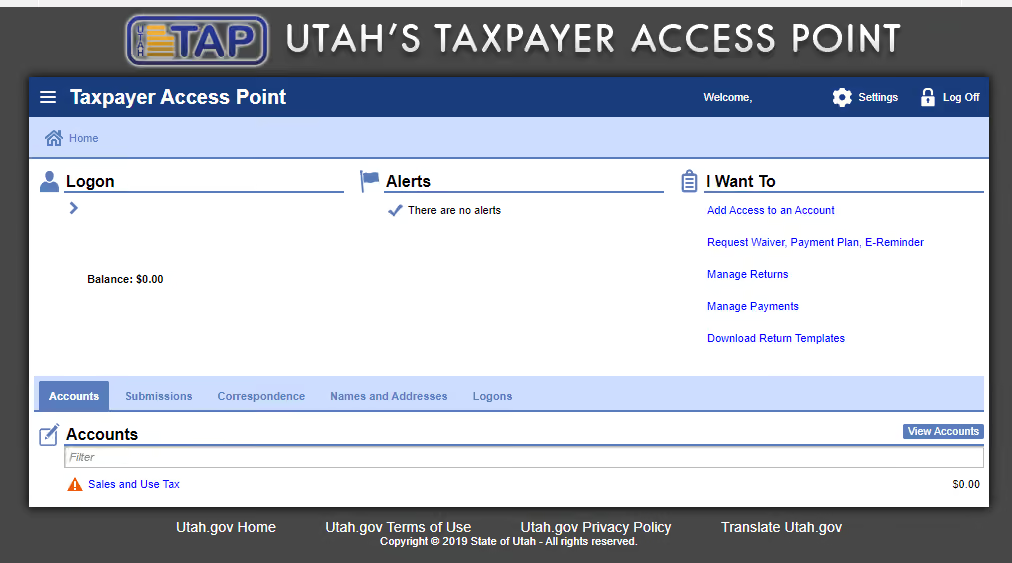
Upon logging in, you will be directed to the state's dashboard. Locate and click on the "Sales and Use Tax" option to begin the filing process.
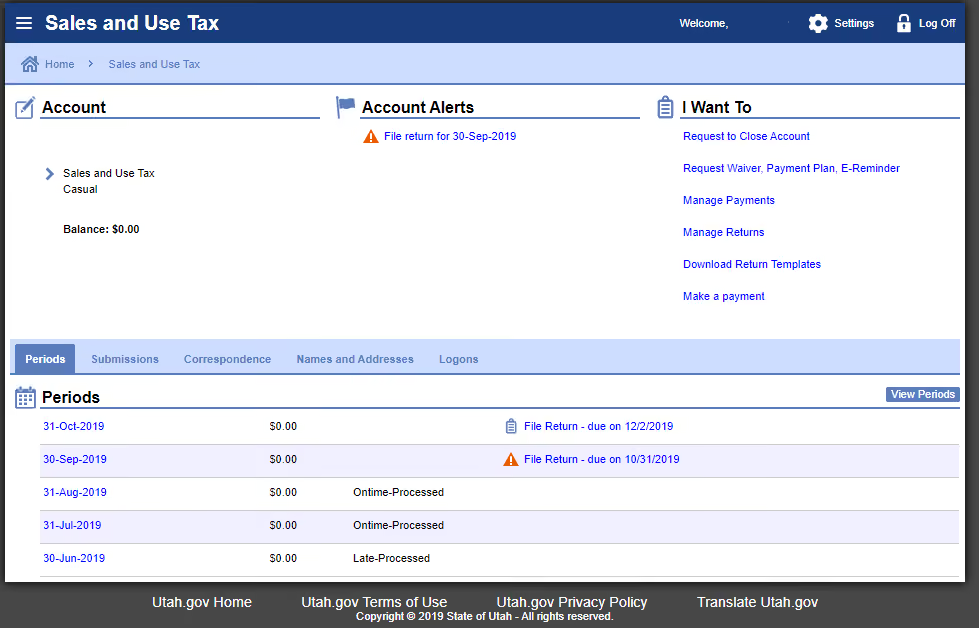
Next, select the period for which you want to file the return. Then, click on "Current Attributes."
On the following screen, carefully read the information and verify that it displays the correct return and schedule details. If the information is accurate, change the selection to "Yes" and click "OK."
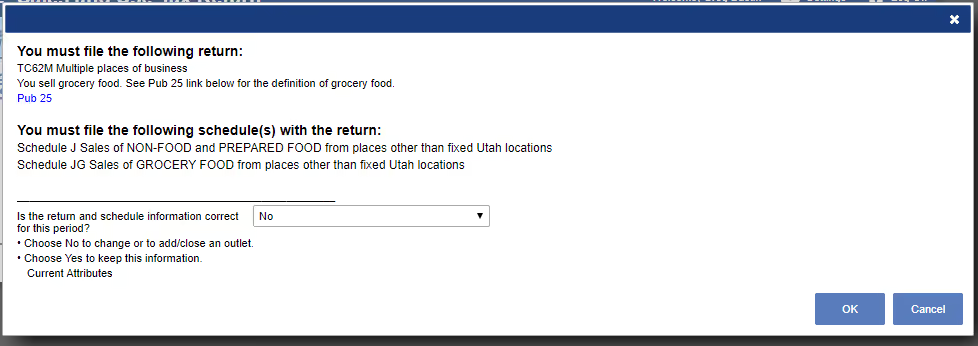
If any changes are needed, leave the selection as "No" and click "OK" to proceed with making the necessary adjustments.
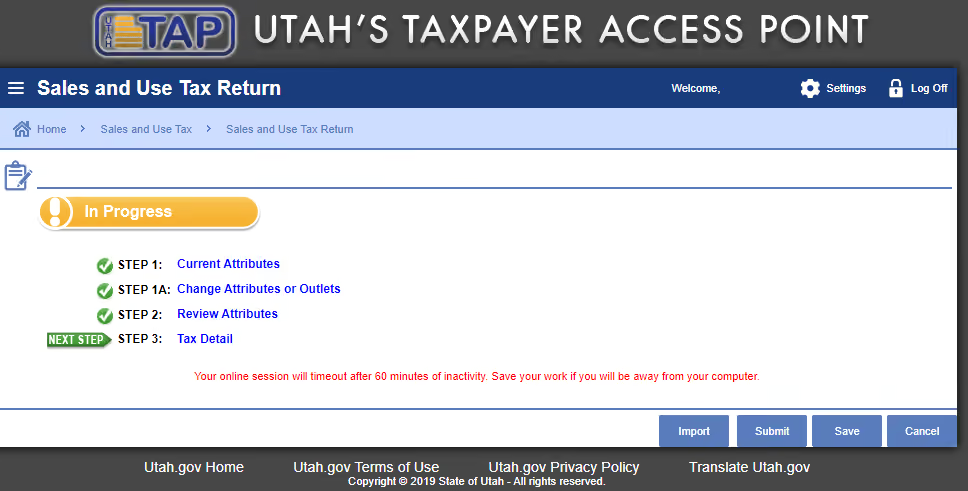
At this point, you have reached Utah's third step in the return process. To move forward, choose the "Tax Detail" option. This will take you to the screen where you can start entering your data.
Fill in the fields for your gross sales, exempt sales, goods purchased for use, and any applicable adjustments.
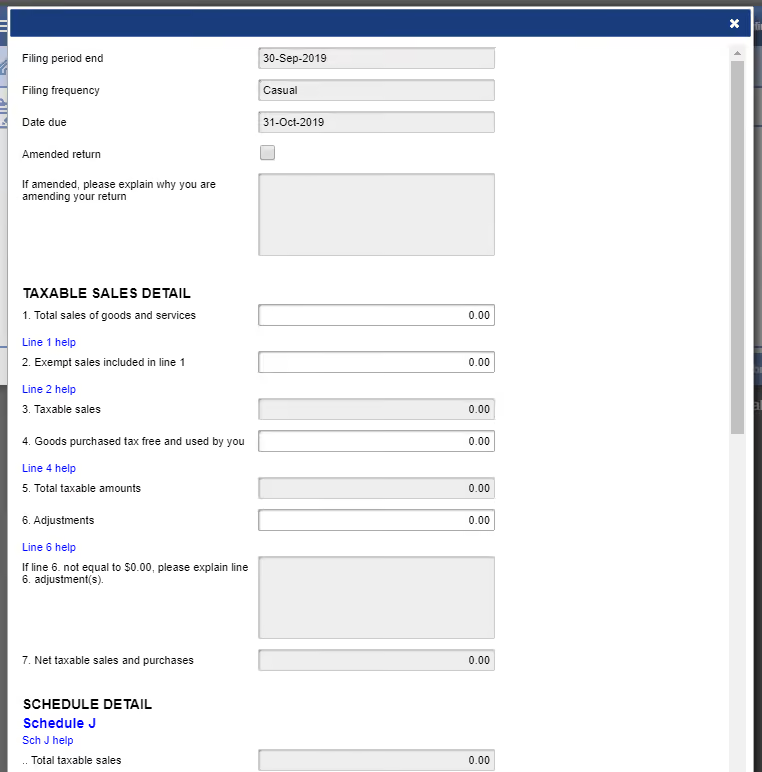
After completing this section, click on "Schedule J" to enter your location and net taxable sales information. Once you have entered the details for all your locations, click "OK" to continue.
You are now ready to confirm your return and submit it. If you need to make any changes, click on "Step 3: Tax Detail" to go back and make the necessary corrections.
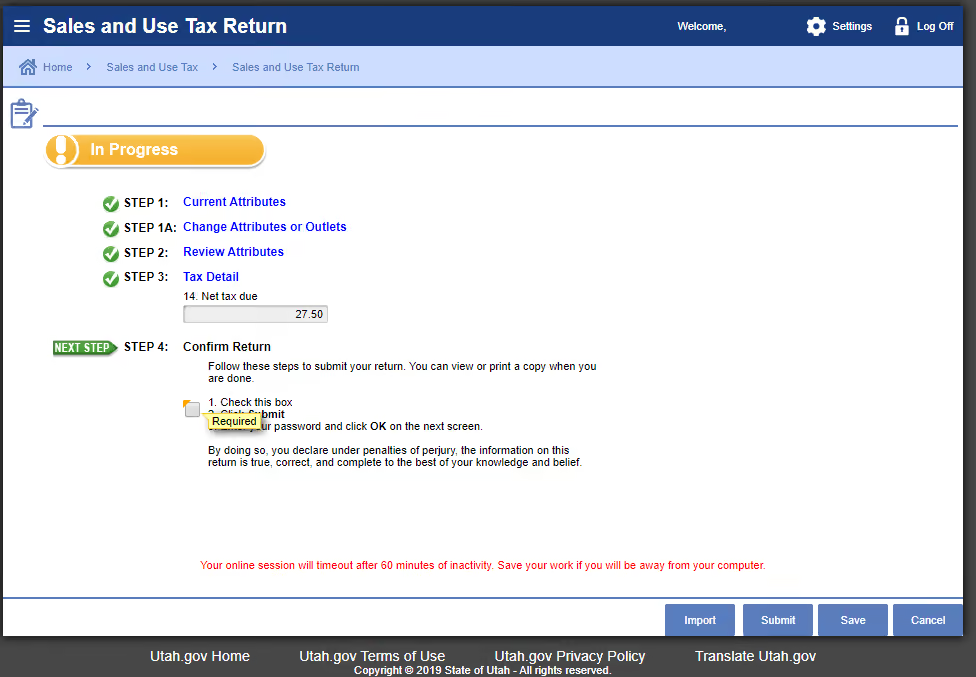
If all the information is correct, click "Submit." Please keep in mind that once you click "Submit," you will not be able to make any further changes.
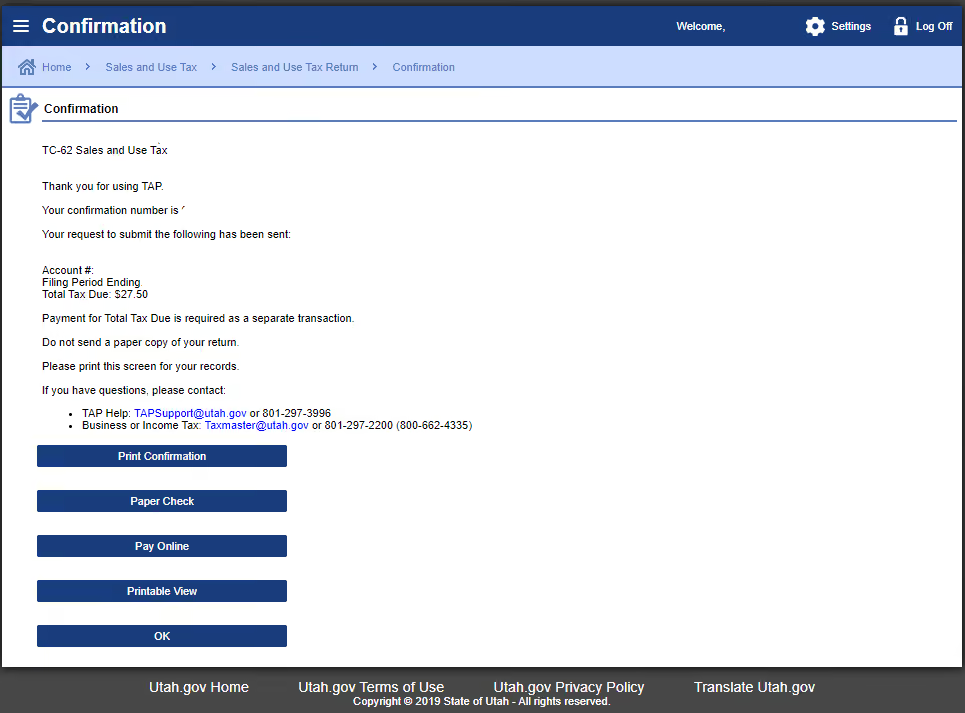
Be sure to save the confirmation number that appears on the screen after submitting your return. We also recommend saving a copy of your return for your records.
With your return submitted, you are now ready to make your payment. On the confirmation page, you will have the option to select either "Pay Online" or "Paper Check" for your payment. For this example, we will choose the online payment option.
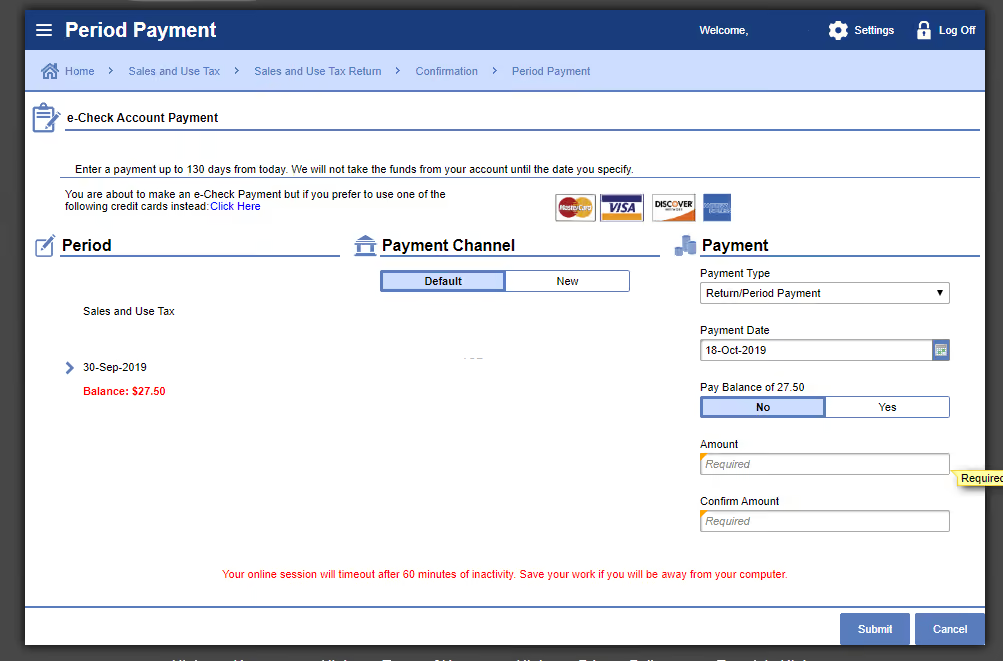
To proceed with the online payment, fill out your banking information, the amount you are paying, and the payment date. You will also have the option to save your banking information for future use. Once you have entered all the necessary details, click "Submit."
Congratulations! You have now successfully made your payment. Remember to save your confirmation number for your records.
If you forgot to print or save a copy of your sales tax return, you can still access it. Navigate to your homepage and click on the "Submissions" tab. On the right-hand side, you will see a "Print Submission" option. Clicking on this will provide you with access to a copy of your return.
Here are the current sales tax rates for some major cities in Utah:
When are Utah sales tax returns due?
Utah sales tax returns are generally due on the last day of the month following the end of the filing period. For monthly filers, this means January's sales tax is due by the end of February.
What are the penalties for late filing or payment in Utah?
Late filing or payment of Utah sales tax can result in penalties and interest charges. The penalty for late filing is 10% of the unpaid tax or $20, whichever is greater, and interest accrues on the unpaid balance.
Can I amend a sales tax return in Utah?
Yes, if you need to amend a previously filed sales tax return, you can do so through the TAP portal. It is important to correct any inaccuracies as soon as they are discovered to avoid possible penalties.
Is there a minimum sales amount before I have to start collecting Utah sales tax?
Utah does not exempt small sellers from collecting sales tax, so you are required to collect and remit sales tax from your first sale unless your product or service is specifically exempt.
Who can I contact for help with Utah sales tax issues?
For assistance with Utah sales tax questions, you can contact the Utah State Tax Commission. They offer resources online, or you can call their general information line at (801) 297-2200.
Are SaaS products taxable in Utah?
Yes, Utah taxes SaaS products if the company has nexus in the state.
Filing sales tax returns in Utah can be a complex and time-consuming process for all types of businesses. That's where Numeral comes in. Our white-glove service takes the hassle out of sales tax compliance, letting you focus on growing your business.
With Numeral, you'll spend less than five minutes a month on sales tax. We monitor your sales 24/7, notify you when you reach economic nexus, register your business in the necessary states, manage your tax collection settings, and even automate your monthly, quarterly, and annual remittances. It's like having a dedicated sales tax expert on your team, without the extra overhead.
Our comprehensive solution includes everything from nexus determination and registration to filing and remittance. Plus, with our user-friendly dashboard, virtual mailboxes, and top-notch customer service, you'll always have the support you need, when you need it.
So why spend countless hours navigating the complexities of Utah sales tax compliance? Let Numeral handle it for you, so you can get back to what matters most—running your business.
Book a demo today and see how easy sales tax can be with Numeral on your side.
The trusted solution for U.S. sales tax, VAT, and GST compliance, used by 3,500+ global businesses.