Learn how to file sales tax online in Indiana with step-by-step instructions including screenshots.



Let’s get right into the steps for filing and paying your sales tax return in Indiana.
The first step in filing your Indiana sales tax return is to create an online account with the Indiana Department of Revenue's INTIME website.
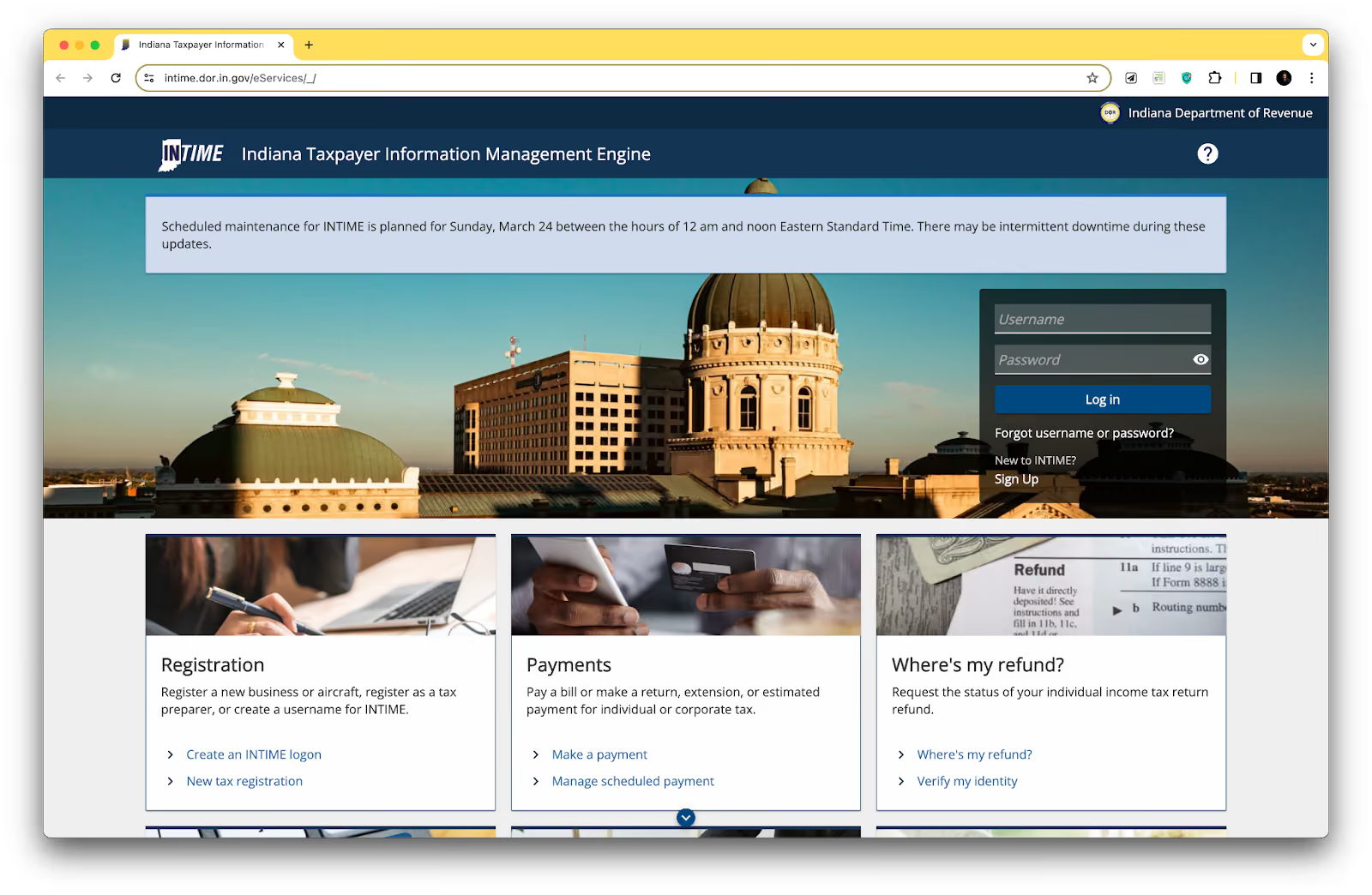
This website is the portal for managing your sales tax filings and payments.
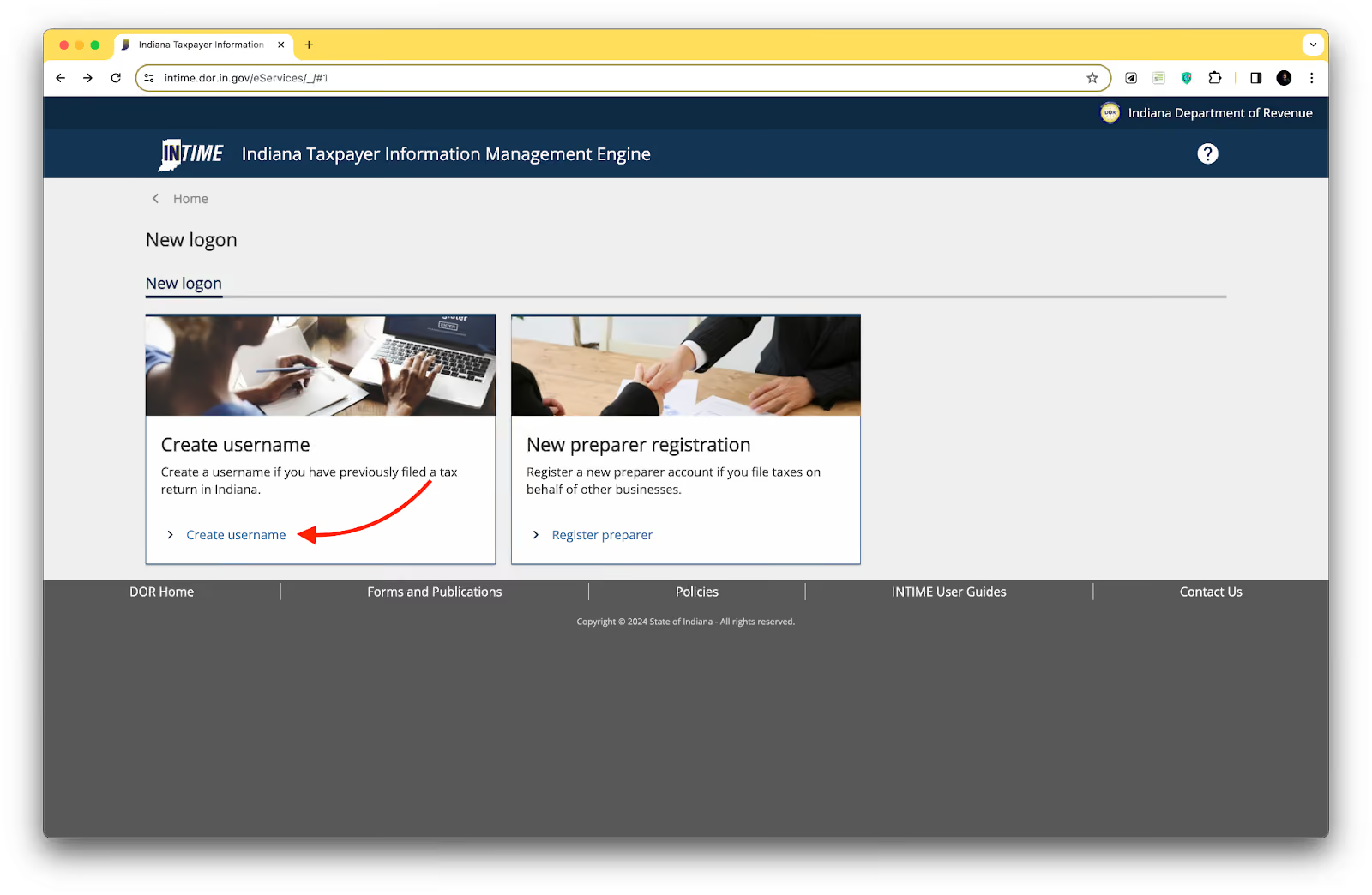
To create an account, you must provide basic information about your business, such as your federal employer identification number (FEIN) or Social Security number (SSN), business name, and contact details. You'll also need to obtain a sales tax permit, which allows you to collect sales tax from your customers.
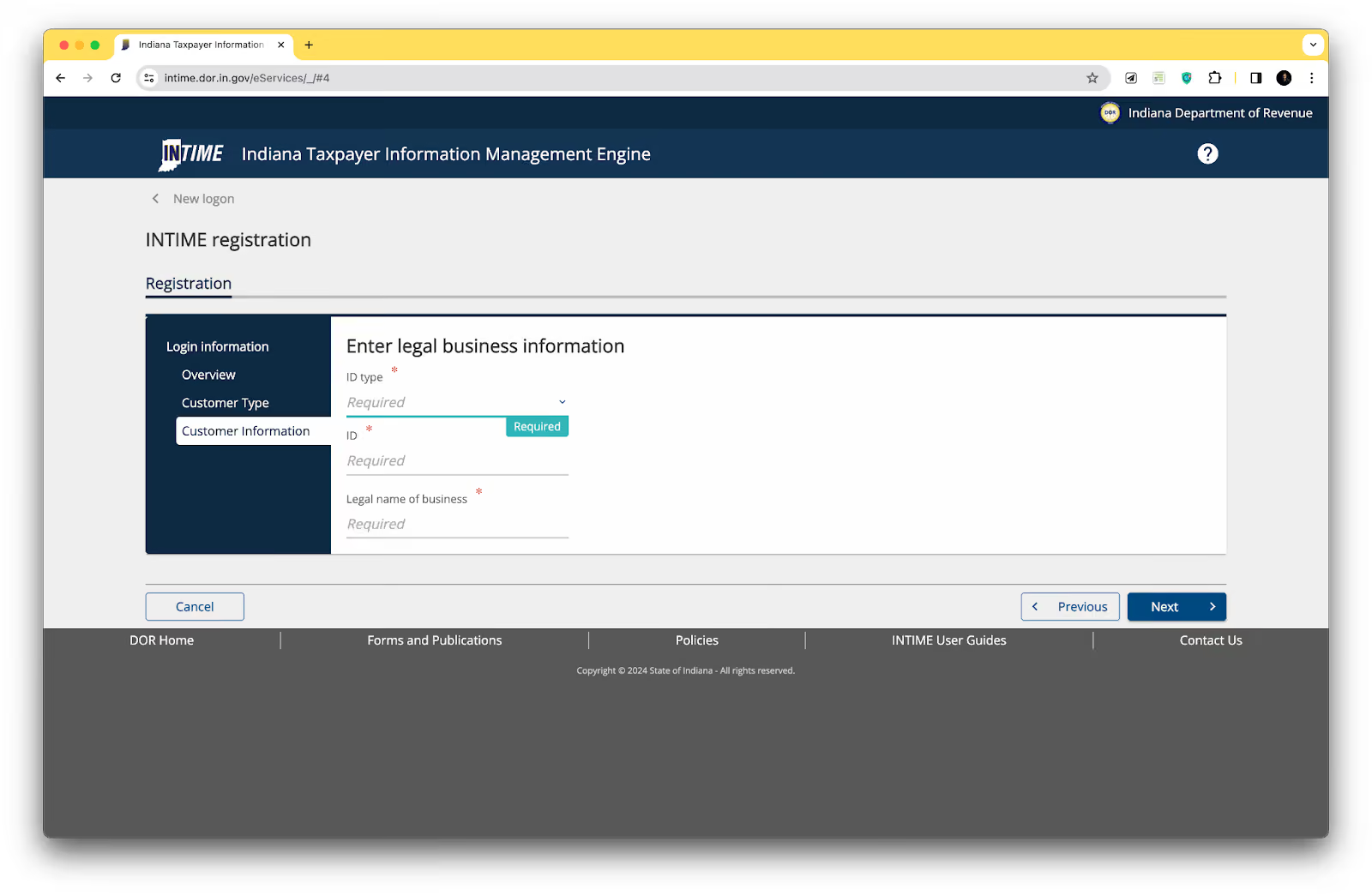
You can also save your progress as a draft or click "Next" to continue the registration process if you need to stop midway.
Ensure you provide all the required information as you progress through the registration form.
Once you've successfully created your INTIME account, you can log in using the credentials you set up during registration. This will take you to your sales tax account dashboard, where you can manage your filings and payments.
Take a moment to familiarize yourself with the layout of the dashboard.
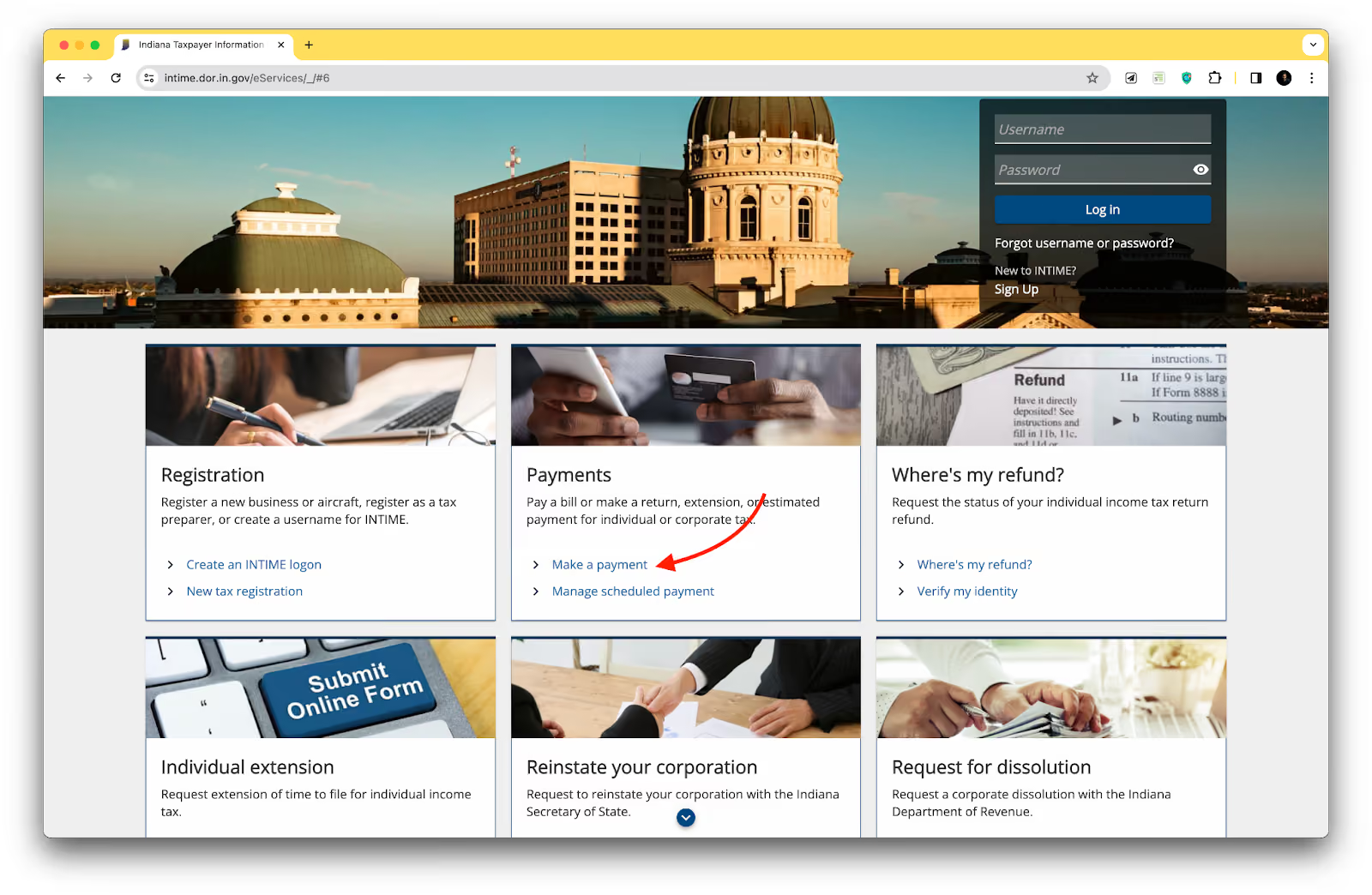
Now, if all you want to do is pay your taxes, go to the INTIME homepage and scroll below the login banner. You’ll notice the "Payments" panel with an option to "Make a payment." This will take you to a new screen where you can initiate your tax return.
On the payment screen, you'll see two payment options: bank payment and credit card payment. We recommend selecting the bank payment option, which typically involves no additional fees.
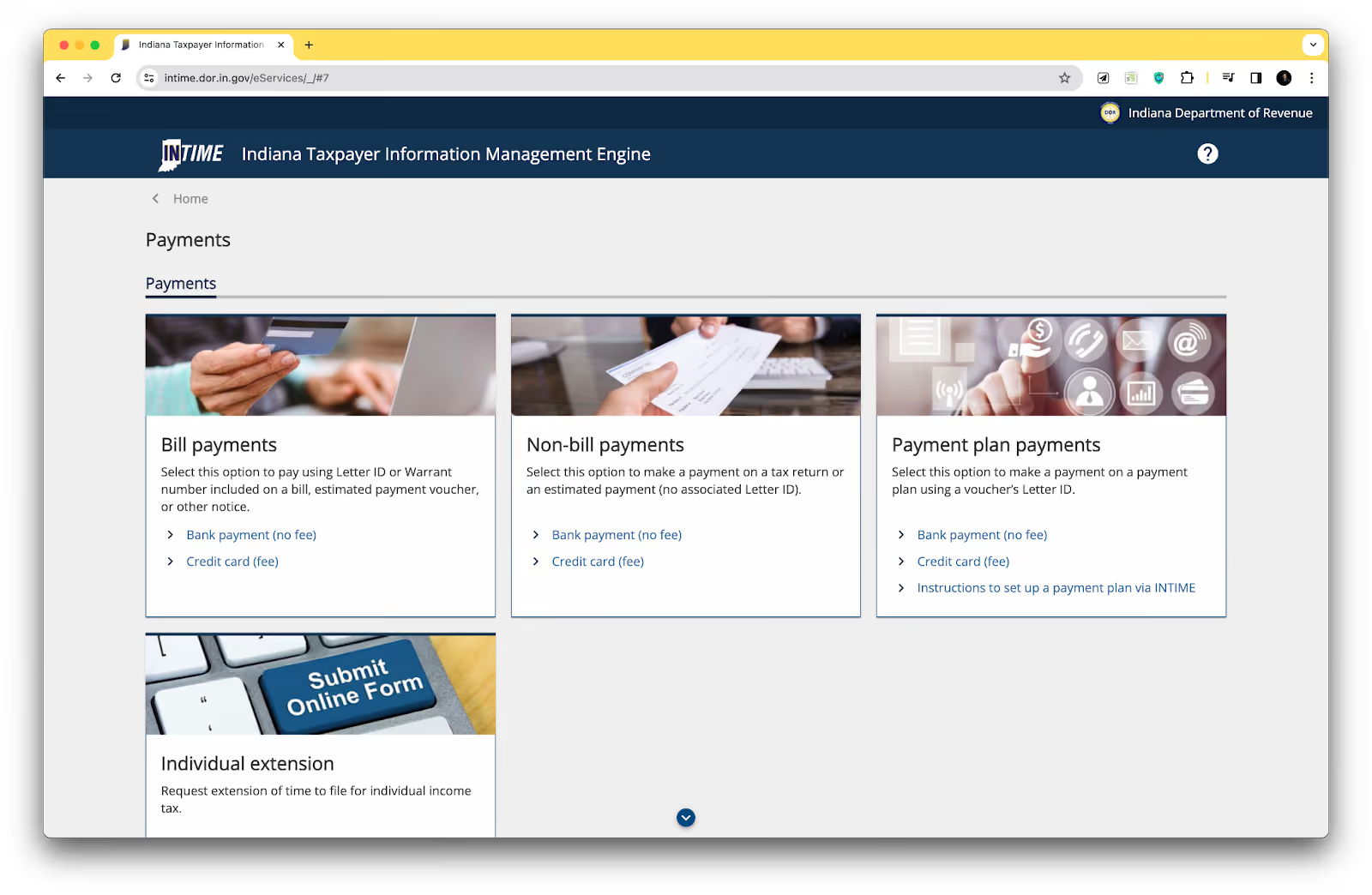
However, if you prefer to pay by credit card, you can also select that option. Click on the bank payment link to proceed to the next step.
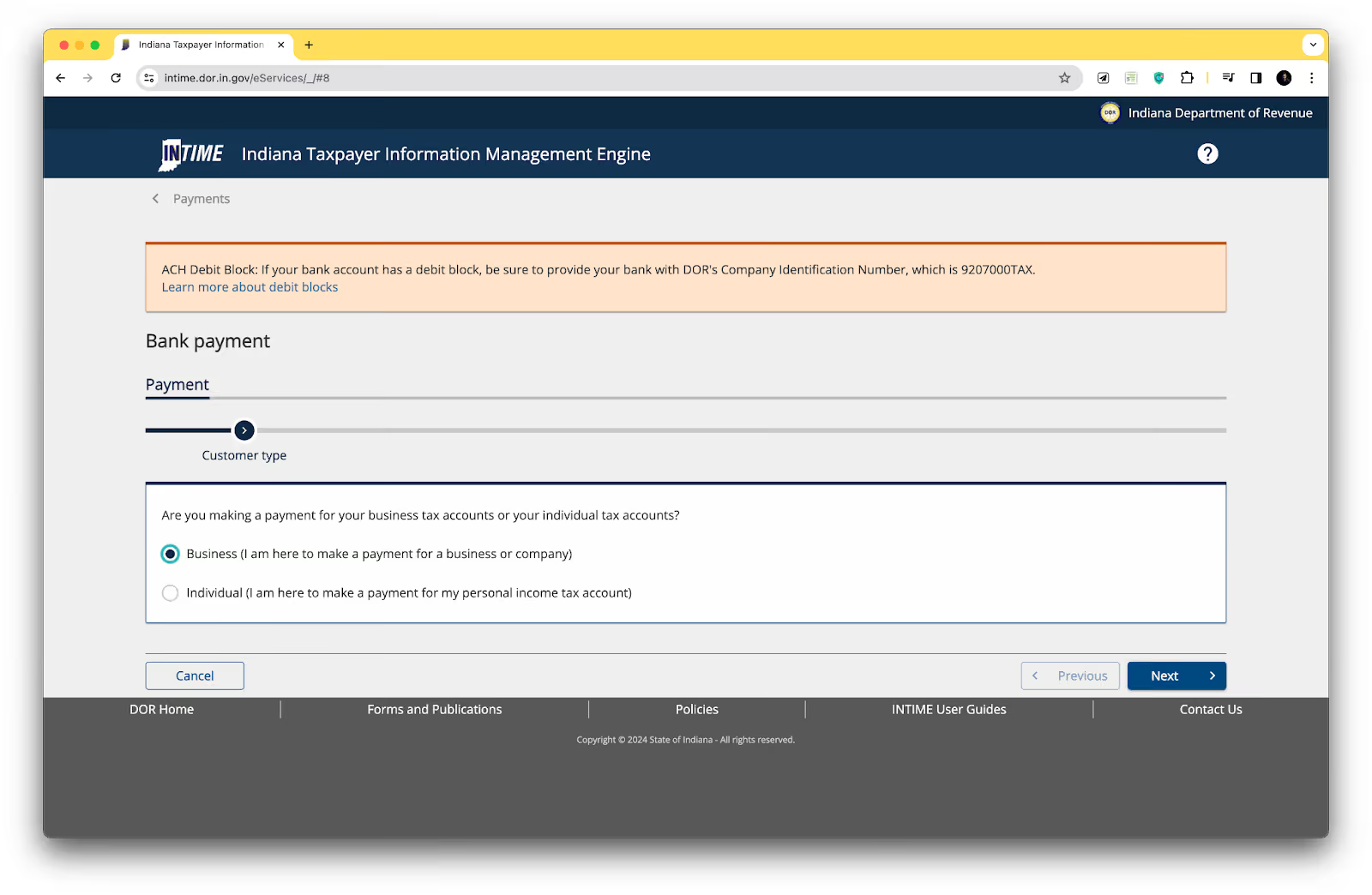
After selecting your payment method, you'll be directed to a form where you can enter your tax details. This form will expand as you provide more information, such as your identification type and payment amount.
All the information you enter must be accurate and up-to-date. Double-check your routing and account numbers and the payment amount to avoid any errors or delays in processing your return.
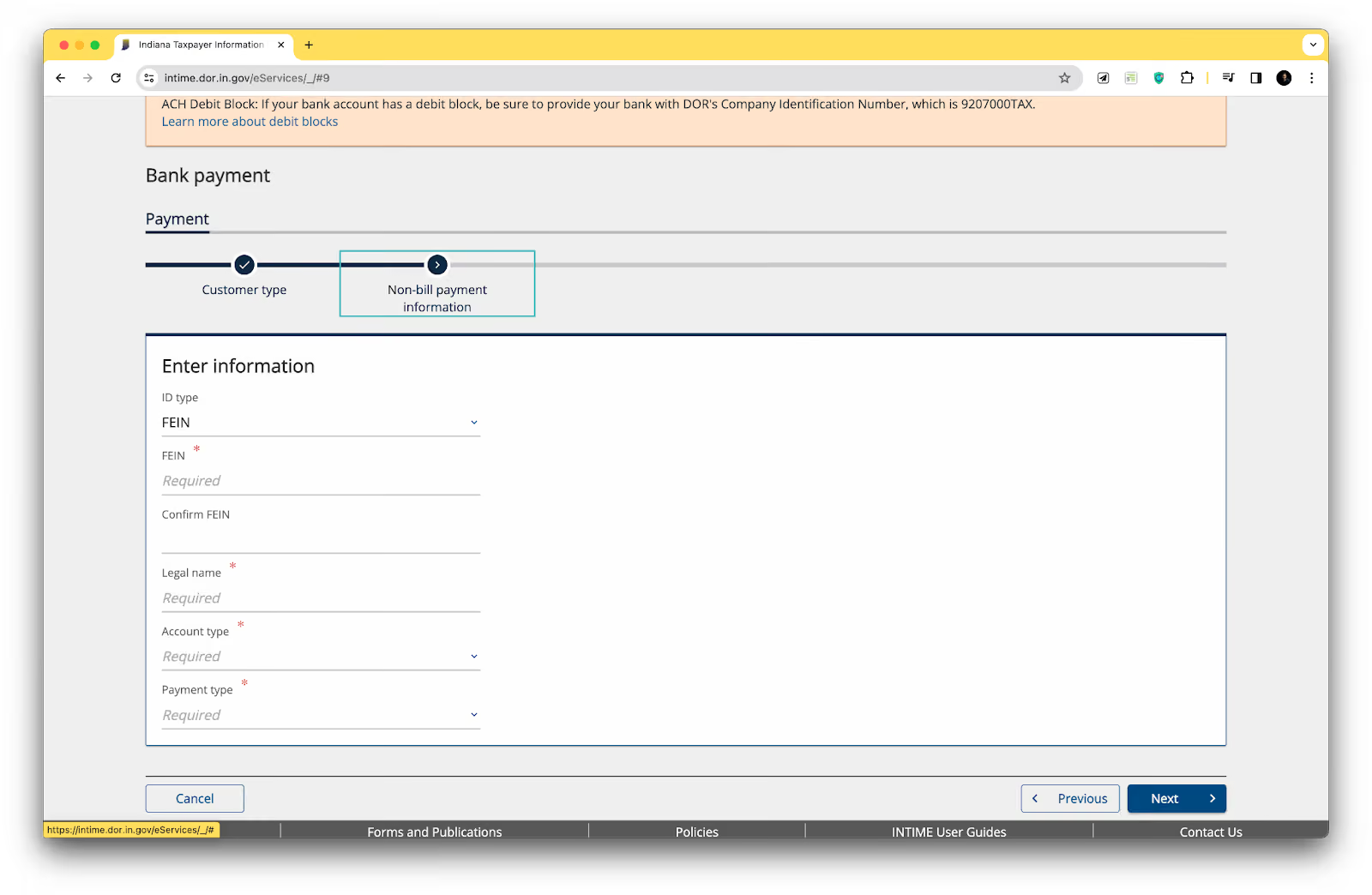
One important field to pay attention to is the email address section. Make sure to enter a valid email address, as you'll receive a confirmation email once your payment is successfully scheduled. This email will serve as evidence of your filing and payment, so printing or saving a copy for your records is a good idea.
Click "Next" to continue to the payment submission step.
After entering all the necessary tax details, you'll be prompted to review and confirm your payment information. Please verify everything, including the payment amount, routing and account numbers, and email address.
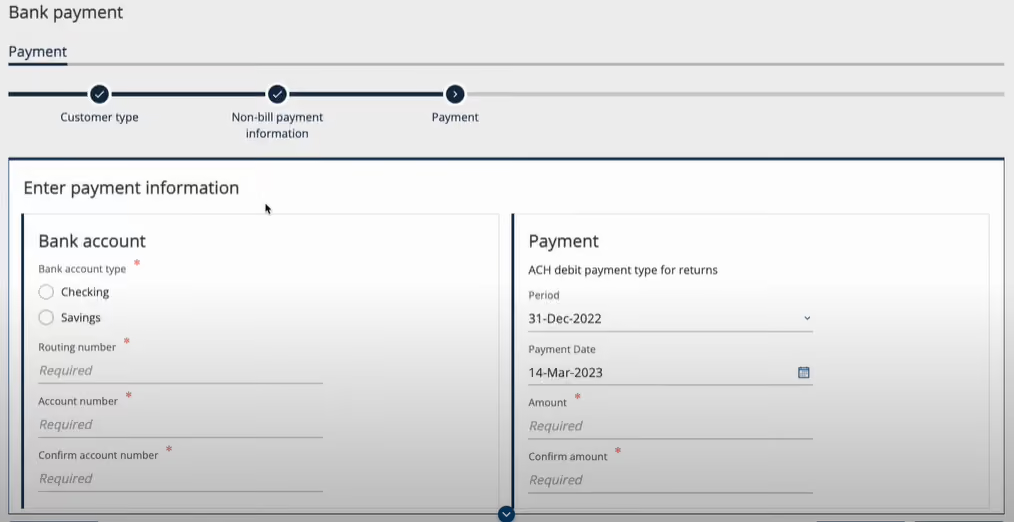
Once you're confident that all the information is accurate, click the submit button to initiate your payment. You'll receive a confirmation message indicating your payment has been successfully scheduled.
With your payment submitted, the final step is to review your entire sales tax return for accuracy and completeness. This is your last chance to make any necessary corrections or updates before submitting your final return.
If everything looks good, click Submit to finalize your filing. You'll receive a confirmation email with details of your return and payment. Keep this email for your records, as it proves your compliance with Indiana's sales tax requirements.
Congratulations! You've successfully filed your Indiana sales tax return.
In addition to the Indiana state sales tax rate, some cities and counties in Indiana may impose local sales taxes. You must also know these local rates when collecting and remitting sales tax. Here are the current sales tax rates for some major cities in Indiana:
The frequency of sales tax filing in Indiana depends on your sales volume. You may be required to file monthly, quarterly, or annually. The Indiana Department of Revenue will assign your filing frequency based on your sales tax liability.
Yes, you can file your Indiana sales tax return by mail using the paper forms provided by the Department of Revenue. However, electronic filing through INTIME is encouraged for faster processing and convenience.
You may be subject to penalties and interest on the unpaid tax amount if you miss the filing deadline. Filing and paying your sales tax on time is important to avoid these additional charges.
If you have an active sales tax account in Indiana, you must file a return for each reporting period, even if you had no sales or owe no tax. You would file a "zero return" in this case.
No, Indiana does not tax SaaS, though certain digital products are taxable.
Say goodbye to the stress and confusion of managing sales tax compliance independently. Numeral's white-glove service covers everything so you can focus on growing your business. With Numeral, you'll enjoy:
Plus, we'll communicate with state agencies on your behalf and process all that confusing state mail for you. It's like having a personal sales tax team without the added expense.
Don't spend countless hours figuring out sales tax on your own. Let Numeral simplify the process and give you the confidence that comes with knowing your business is fully compliant. We offer flexible pricing without long-term contracts, so you can start risk-free.
Book a demo with Numeral today and see how easy sales tax compliance can be.
The trusted solution for U.S. sales tax, VAT, and GST compliance, used by 3,500+ global businesses.