Learn how to file sales tax online in West Virginia with step-by-step instructions including screenshots.



Whether you're a small business owner just starting out or a seasoned entrepreneur, this guide will provide you with the knowledge and tools you need to stay compliant with West Virginia's sales tax laws.
To begin the process of filing your West Virginia sales tax return online, you first need to create an efiling account with the West Virginia State Tax Department.
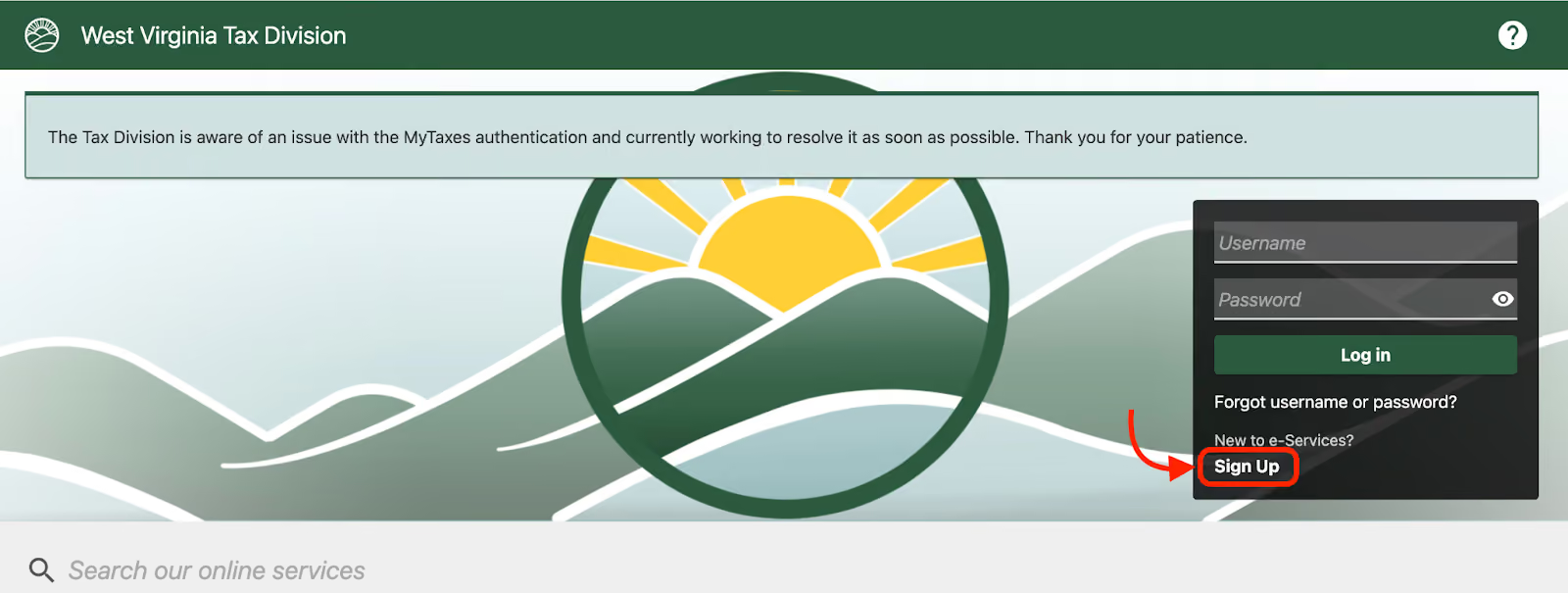
Visit the MyTaxes portal on the department's website and click on the "Sign Up" button.
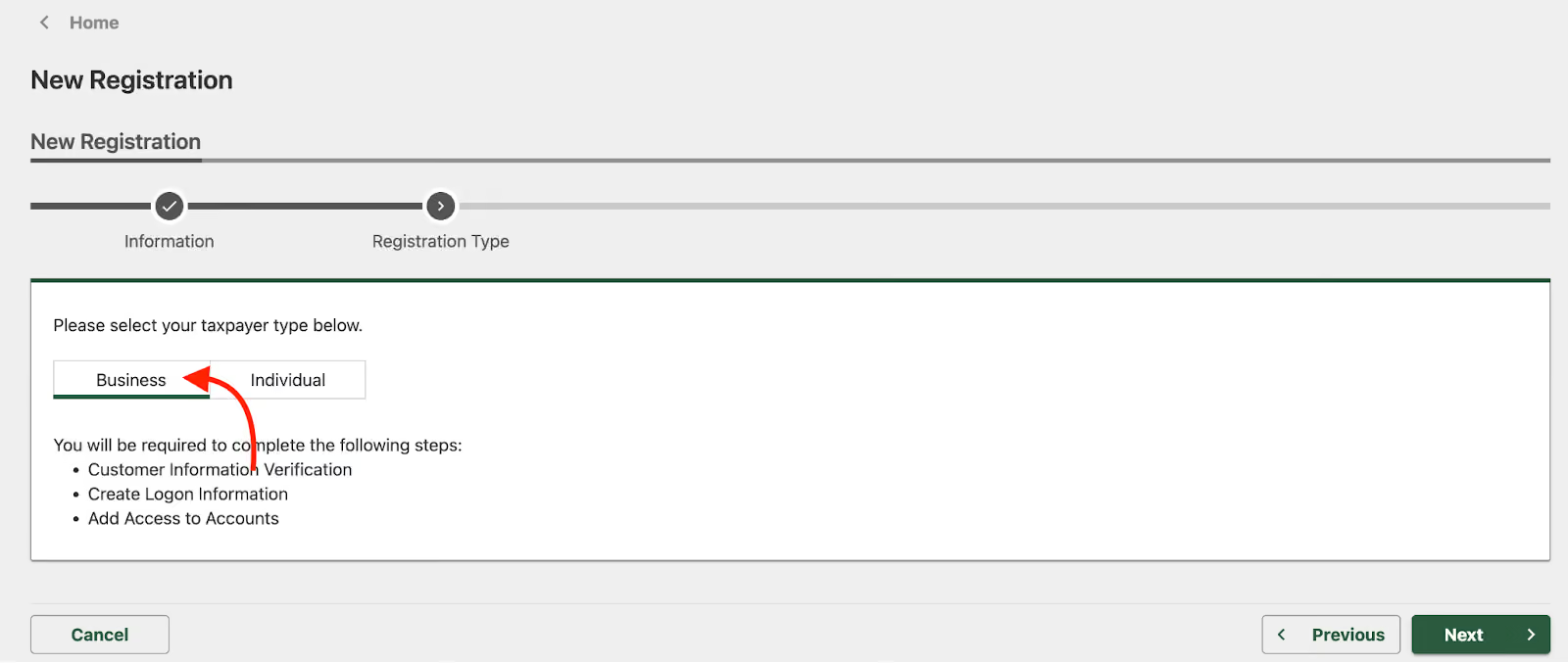
Select the taxpayer type as Business and click Next. Follow the prompts to create your account, providing the necessary information about your business, such as your Federal Employer Identification Number (FEIN) or Social Security Number (SSN), and contact details.
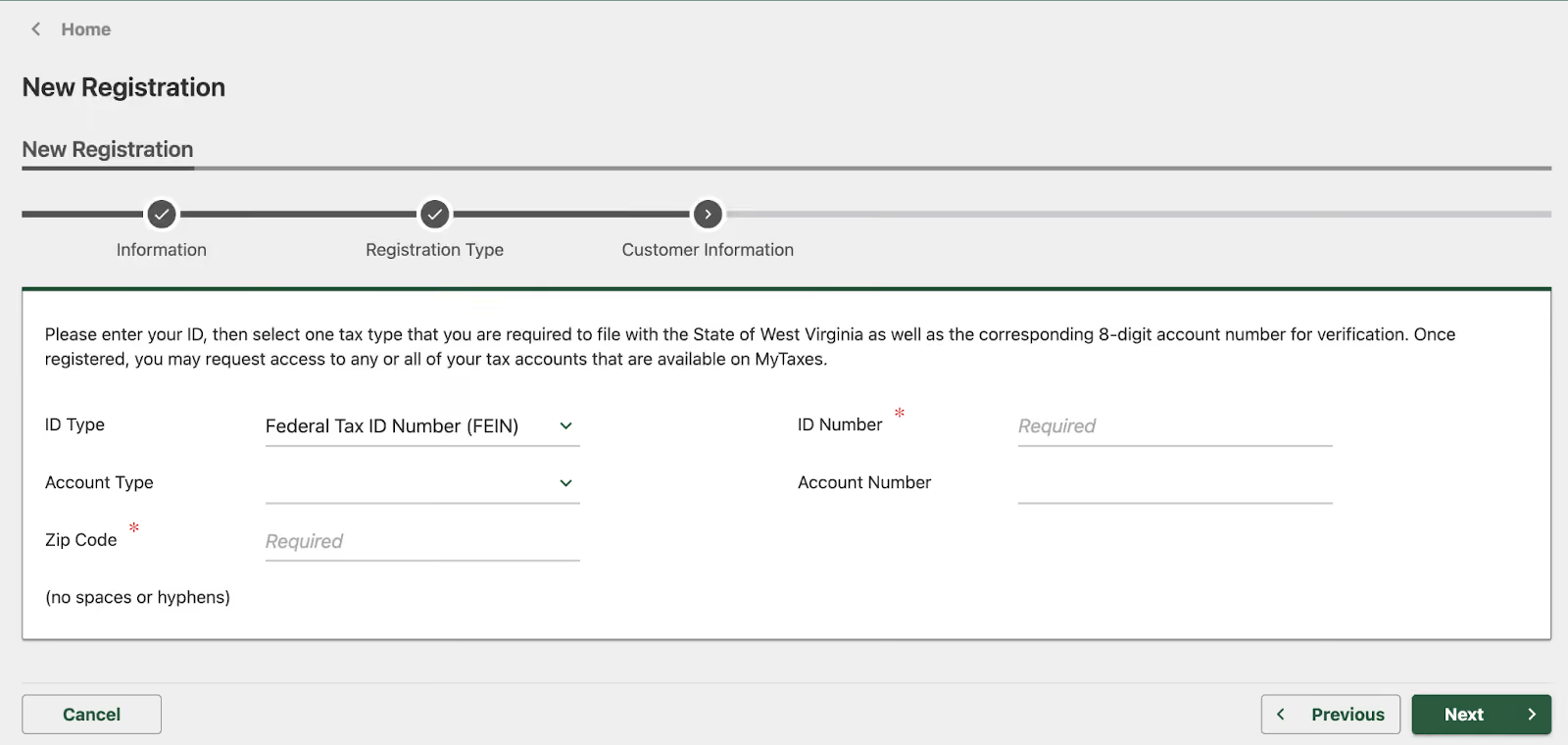
Once done, you’ll receive a confirmation email to complete the account creation. You are now ready to login and start filing.
Once you have created your efiling account, log in to the MyTaxes portal using your username and password.
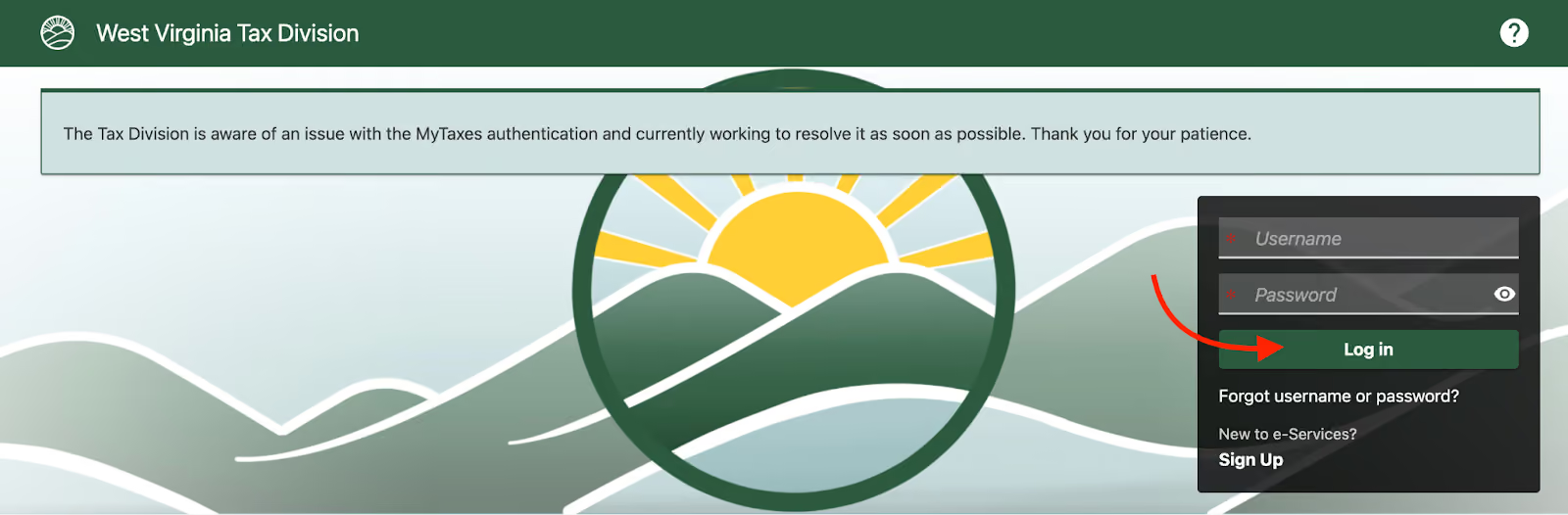
If you have forgotten your login credentials, click on the "Forgot Username/Password" link and follow the instructions to reset them.
After logging in to your account, navigate to the "File Tax Return" section and select "Sales Tax" from the list of available tax types.
Choose the appropriate filing period for which you are submitting the return and click on the "Start Filing" button.
On the next page, you will be required to enter your taxable sales details for the filing period. This includes the total gross sales, exempt sales, and any deductions.
Ensure your sales records and invoices are handy to ensure accurate reporting. Enter the amounts in the appropriate fields if you have collected any local sales taxes.
Review the information carefully after entering the details of your taxable sale to ensure its accuracy. If you need to make any changes, click on the "Edit" button next to the relevant section.
Once you are satisfied with the information provided, click on the "Submit" button to finalize your sales tax return.
If you have a sales tax liability for the filing period, you will be directed to the payment page after submitting your return.
Select your preferred payment method (electronic check, credit card, or debit card) and enter the required payment information.
After completing the payment, you will receive a confirmation page with a unique confirmation number. Be sure to download or print this page for your records.
You can look up the full table of sales tax rates in each city and county in West Virginia on the State Tax Department's website. Here’s a small sample:
When are West Virginia sales tax returns due?
The due date for your West Virginia sales tax return depends on your filing frequency, which is determined by your average monthly tax liability. Monthly filers must file by the 20th day of the following month, quarterly filers by the 20th day of the month following the end of the quarter, and annual filers by January 20th of the following year.
What happens if I file my sales tax return late?
If you file your West Virginia sales tax return late, you may be subject to penalties and interest charges. The penalty for late filing is 5% of the tax due for each month or fraction thereof that the return is late, up to a maximum of 25%. Interest charges are assessed at a rate of 1% per month on any unpaid tax.
Can I file my West Virginia sales tax return online?
You can file your West Virginia sales tax return online through the MyTaxes portal. Online filing is convenient secure, and helps ensure timely filing and payment of your sales tax liability.
What if I have no sales tax to report for a filing period?
Even if you have no sales tax to report for a filing period, you must still file a return to the West Virginia State Tax Department. This is known as a "zero return" and helps ensure that your business remains compliant with state tax laws.
Is SaaS taxable in West Virginia?
Yes, WV taxes SaaS products at the normal sales tax rate.
While this guide provides a comprehensive overview of the process of filing a sales tax return in West Virginia, we understand that managing sales tax compliance can be time-consuming and complex, especially for businesses with limited resources or those operating in multiple states.
That's where Numeral comes in. Numeral is a sales tax service that simplifies the filing process for businesses of all sizes, allowing you to spend fewer than five minutes monthly on sales tax compliance.
By leveraging innovative technology and a team of experienced tax professionals, Numeral can help your business navigate the complexities of West Virginia's sales tax laws and ensure the timely, accurate filing of your returns.
With Numeral's white-glove service, you can:
Numeral integrates with the best platforms, making it easy to connect your online business securely. With top-notch customer service, including 24/7 live chat support, the ability to text a licensed tax expert, and strategic tax advice, Numeral simplifies your sales tax process with a comprehensive solution.
Don't let sales tax filing obligations hold your business back. Let Numeral handle your West Virginia sales tax filings, giving you the peace of mind to focus on what matters most—growing your business.
Book a demo with Numeral today to see how we can help!
The trusted solution for U.S. sales tax, VAT, and GST compliance, used by 3,500+ global businesses.