Learn how to file sales tax online in Nevada with step-by-step instructions including screenshots.



The due date for Nevada sales tax returns varies depending on how often your business is required to file:
The Department of Taxation will assign you a monthly, quarterly, or annual filing frequency depending on your sales volume when you first apply for your sales tax permit. Be sure to note your assigned filing due dates.
Filing your sales tax returns electronically through the Nevada Department of Taxation’s Nevada Tax Center is highly recommended for ease and convenience. Here is a walkthrough of the process:
The first step is to register online for a Nevada Tax Center account. This allows you to manage your sales tax account, file returns, and make payments all in one convenient portal.
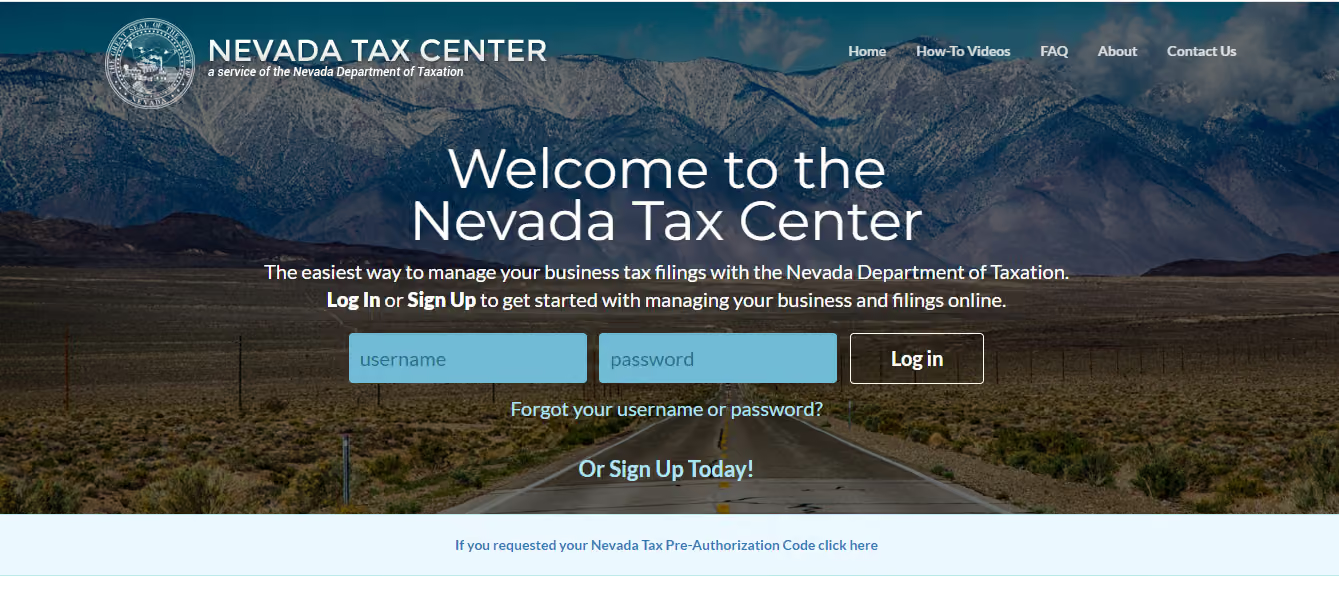
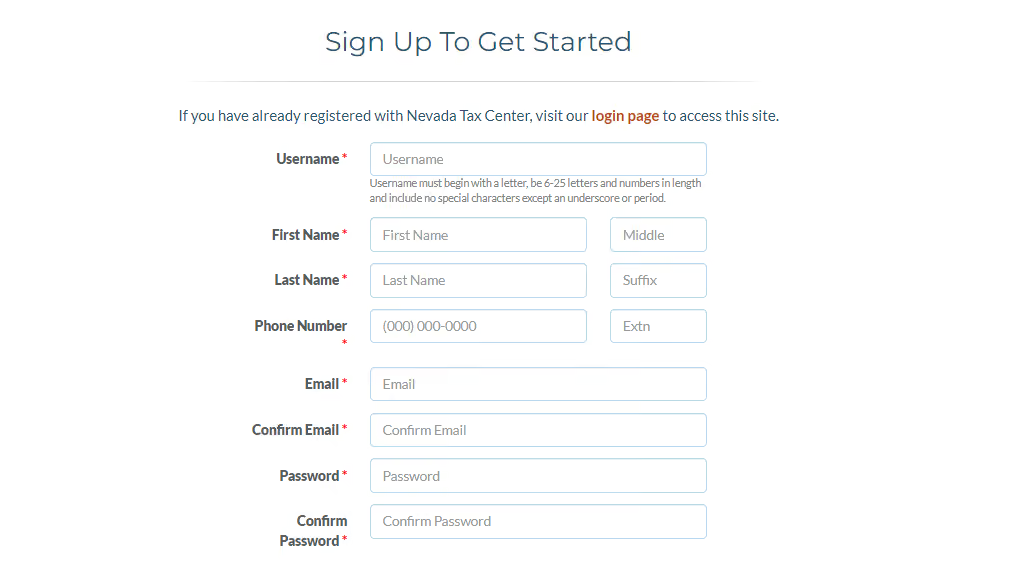
You will receive an email confirming your Nevada Tax Center account has been created.
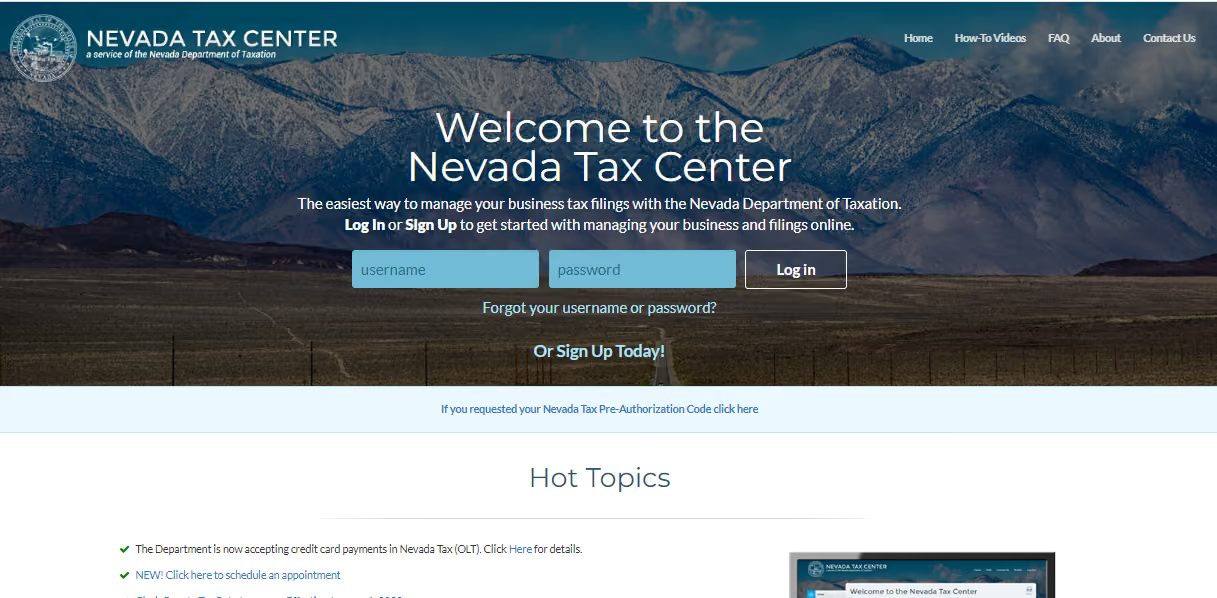
You will then be taken to your Sales Tax Center Dashboard where you can access filing histories, initiate new returns, make payments, update account details, and more.
From the left-side menu, click on “Filings.”
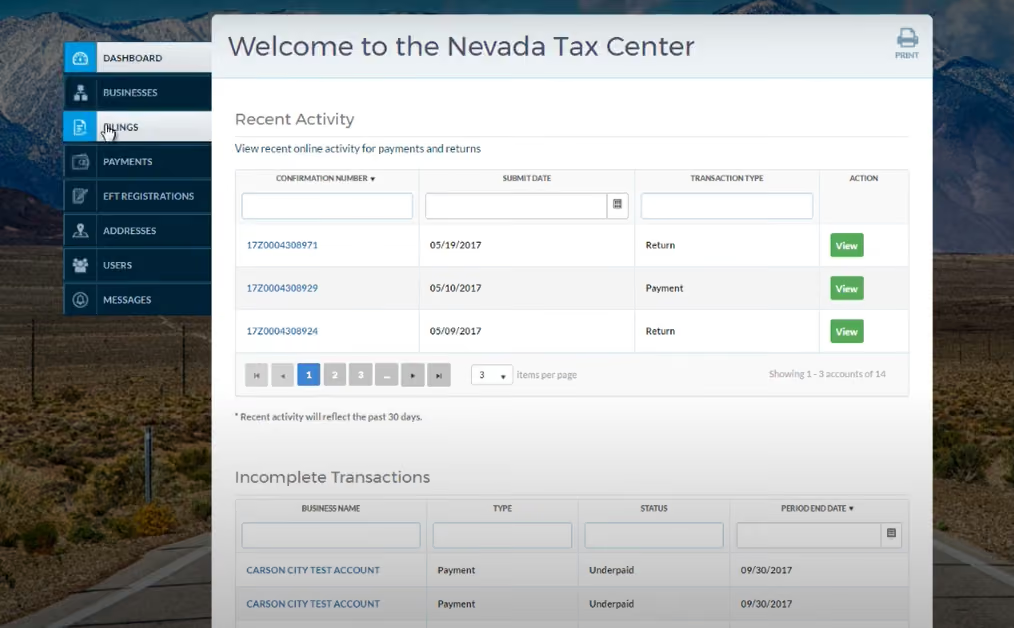
Then select the “New Filing” tab.
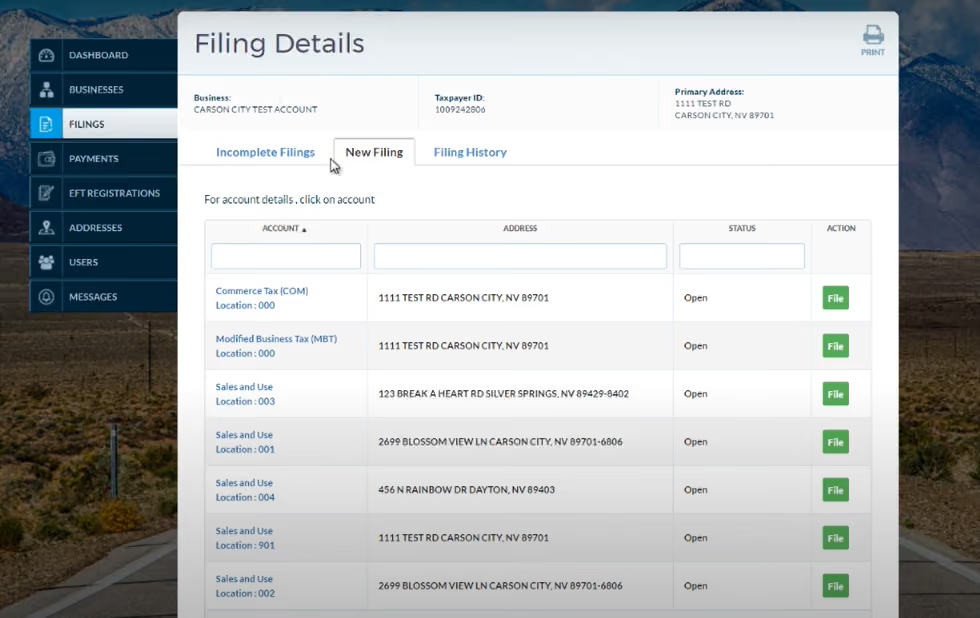
Locate the tax account and filing period you need to submit. Click the green "File" button on the right side.
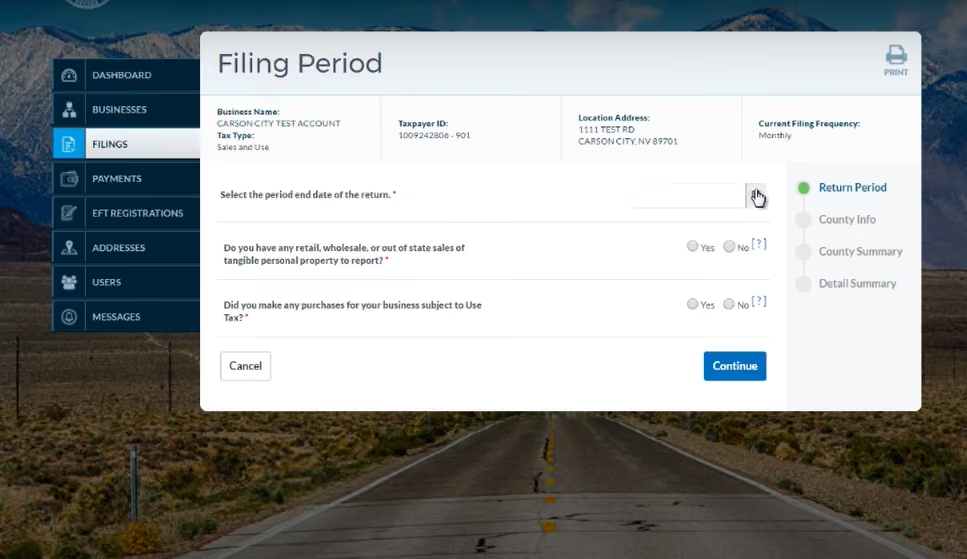
This will open up the sales tax return form for the period you selected.
The tax return will now display fields for you to enter your gross sales figures for each applicable tax jurisdiction.
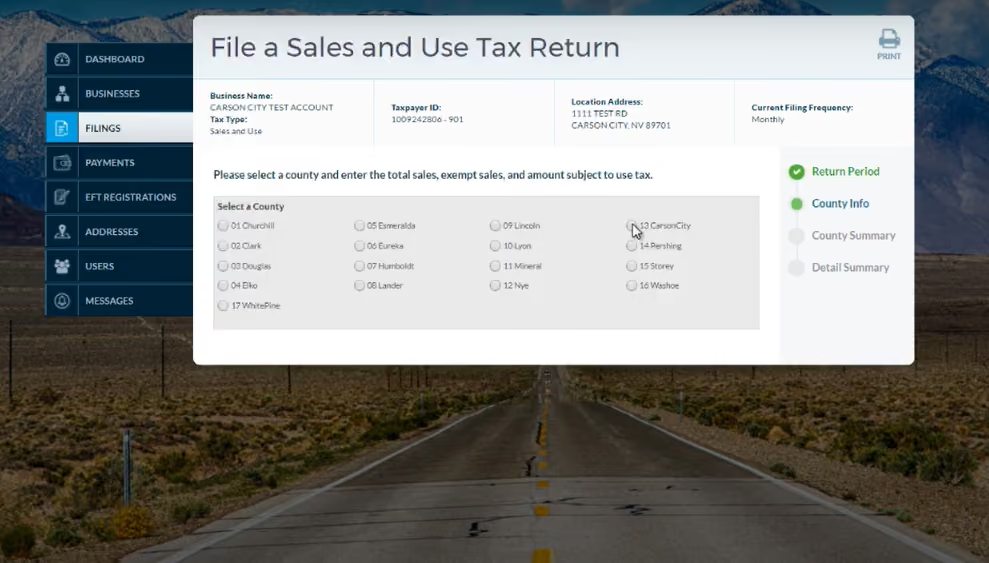
For each county your business had taxable sales in during the filing period:
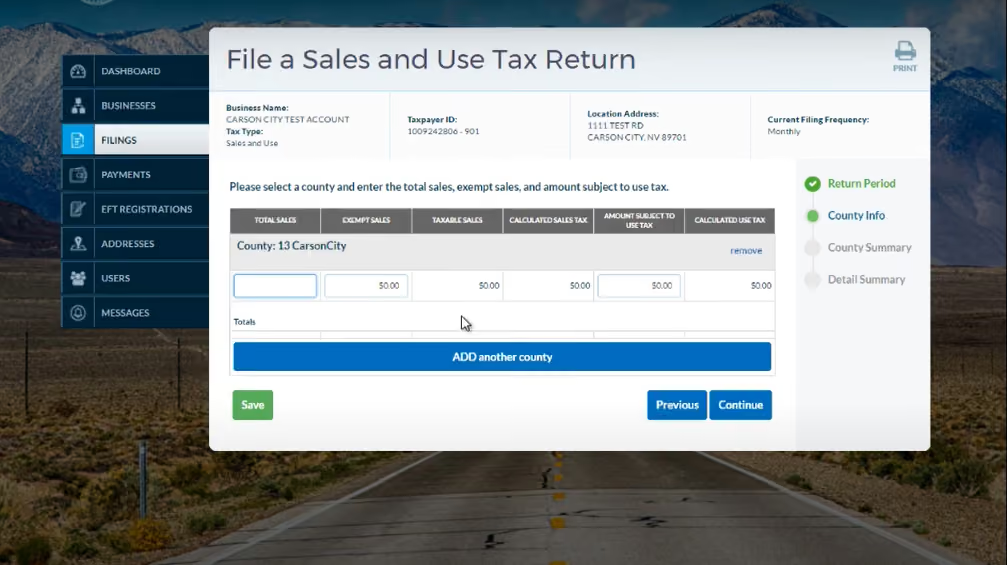
You can enter figures for multiple counties.
Click “Continue” when finished. You’ll be taken to the County Summary page.
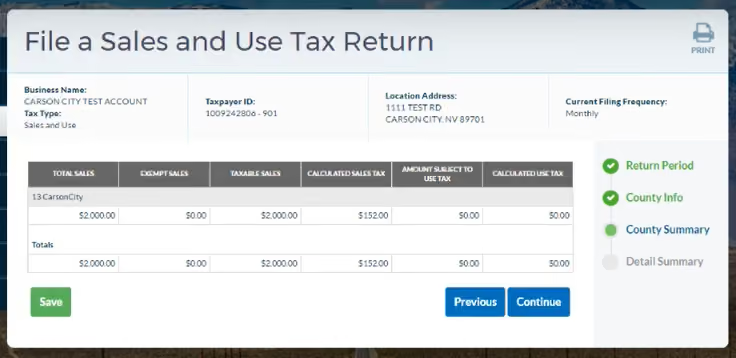
Carefully entering the correct sales data per county at this step ensures your return accurately reflects what tax is owed.
Before submitting, the Nevada Tax Center allows you to double-check your sales tax calculations. Once you’ve verified the tax calculations on the County Summary pages, you’ll be taken the to Detail Summary.
The Detail Summary tab shows the accounting method, filing frequency, and total tax amount determined based on your entered county sales data.
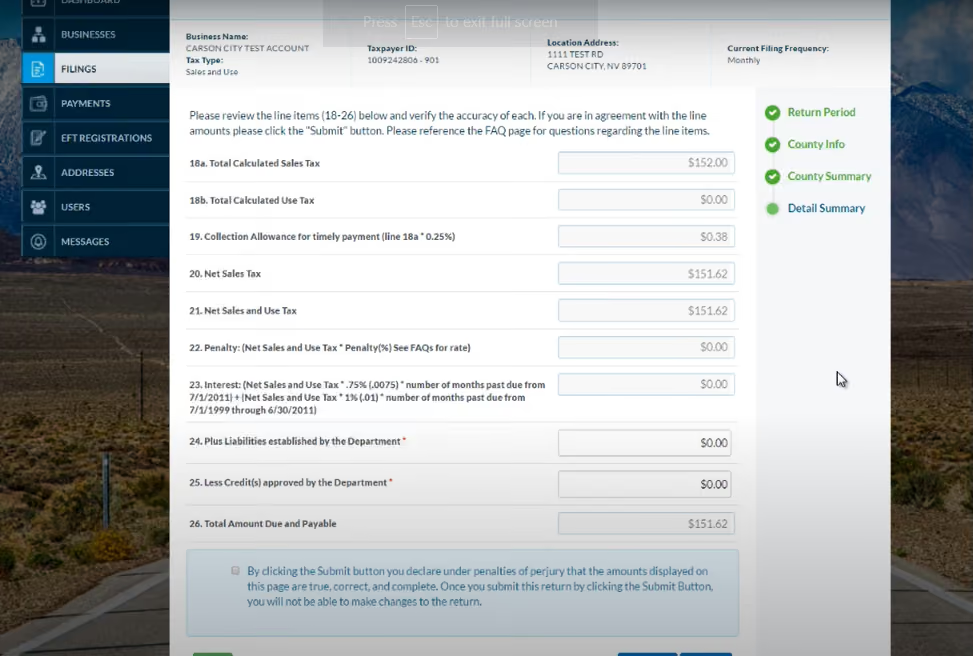
If you find any errors in your figures, use the “Previous” buttons to go back and adjust. Otherwise, click the box confirming you have reviewed and accepted the return details.
After reviewing your figures, click “Submit Return”.
On the Return Confirmation page, click “Make a Payment” if tax is due for the period. Enter your bank account information to pay the reported tax due. You can also schedule payments in advance.
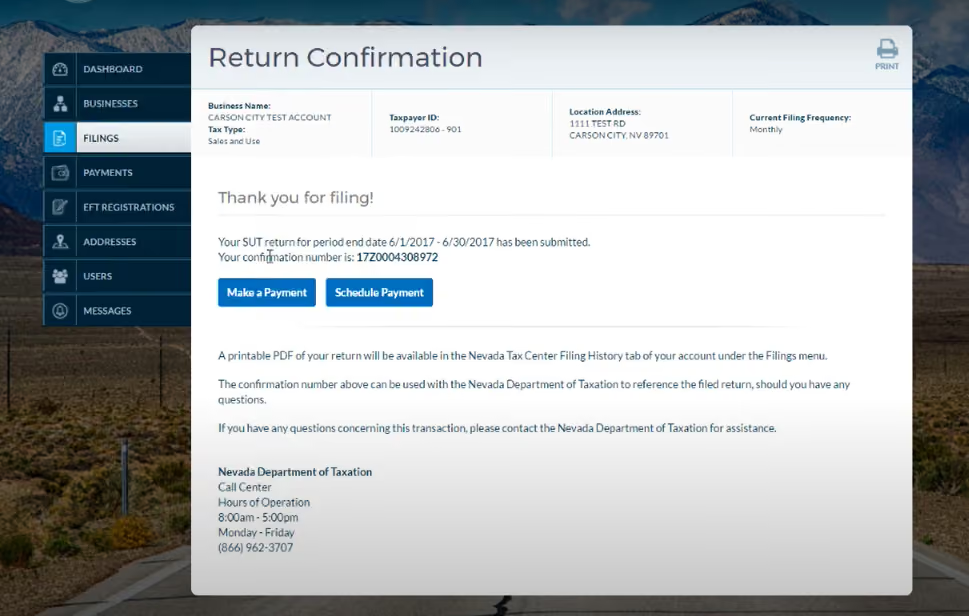
Verify payment details and select “Confirm” to authorize the payment. Submitting payment at the same time as your return is the easiest way to stay on top of what you owe.
The last step after entering all tax details and submitting payment is to finalize and officially file your sales tax return.
Select “Finalize Return” to complete the process on the Return Confirmation page.
You will receive an email confirmation that your return has been accepted. And just like that, you have successfully filed your Nevada sales tax!
Nevada has a statewide sales tax rate of 4.6%. However, total rates vary across the state due to county and municipal rates. Here are the latest combined rates in effect for some major Nevada cities as of 2026:
The Nevada Tax Center accounts for varying rates in each county and city when calculating what you owe.
How often do I need to file Nevada sales tax returns?
Your assigned filing frequency depends on your sales tax liability:
Check with the Department of Taxation if you are unsure of your status.
Can I file my Nevada sales tax return by mail?
You can file paper returns by mail, but electronic filing through the Nevada Tax Center portal is highly encouraged. It simplifies the process, improves accuracy, and allows you to submit payment at the same time.
What if I'm late filing my return?
Late returns in Nevada incur the following penalties:
So be sure to file on time, even if you need to request a short filing extension.
What if I collect no sales tax for a period?
If your business was open but collected no tax for the reporting period, you must still file a $0 “Zero Return” indicating you made no taxable sales. Failing to file at all if you owe no tax can still result in late filing penalties.
Are SaaS products taxable in Nevada?
No, SaaS products are not taxable in Nevada.
Managing sales tax compliance across multiple jurisdictions in Nevada can take away valuable time and resources. However, outsourcing tax compliance doesn’t have to be difficult.
Register for a free 30-minute demo to see how Numeral’s white-glove sales tax service streamlines your Nevada sales tax compliance from start to finish.
Our tax experts will walk you through how we seamlessly handle everything from nexus monitoring to accurate rate configuration, filing, and payments across the state.
Numeral integrates with all your ecommerce and billing platforms, and we handle registrations whenever you exceed economic thresholds. You get guaranteed on-time, error-free filing of monthly, quarterly or annual returns.
With Numeral, you can put sales tax compliance on autopilot, spending less than 5 minutes monthly worrying about compliance across Nevada and all other states. Instead, focus your valuable time and energy where they belong: growing your business.
See what peace of mind Numeral’s automated sales tax solution can offer your company. Book your free, no-obligation demo today.
The trusted solution for U.S. sales tax, VAT, and GST compliance, used by 3,500+ global businesses.