Learn how to file sales tax online in Nebraska with step-by-step instructions including screenshots.



Let’s get right into the steps for filing your sales tax returns in Nebraska. You can skip step #1 if you already have an account with Nebraska DOR. If you want someone to handle your sales tax compliance with minimal intervention, try Numeral—a white-glove sales tax compliance service for businesses.
The first step in filing your Nebraska sales tax return is registering for a sales tax permit and creating an account on the Nebraska Department of Revenue's Nebraska Tax Online website. You can complete the registration process online and receive your login credentials. It is important to note that Nebraska does not offer a paper application for sales tax permit registration.
To ensure a smooth registration process, make sure to have the following documents and information readily available:
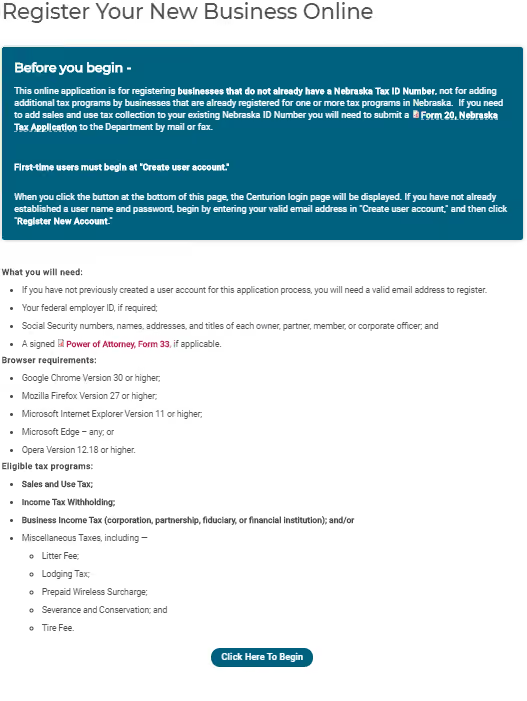
Once you have gathered all the necessary information, click the "Click Here to Begin" button on the Nebraska Tax Online website.
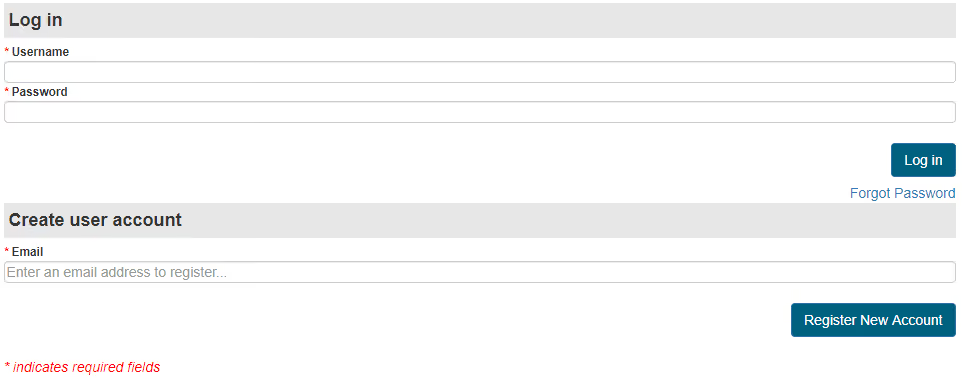
Enter your email address under the "Create User Account" section and select "Register New Account."
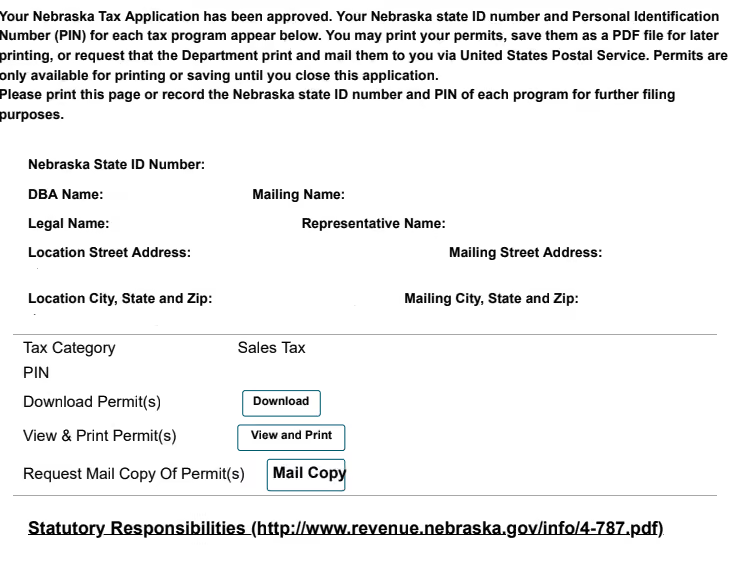
After submitting your sales and use permit application, you will receive a confirmation page containing your account number and a Nebraska PIN, which you will need to file your returns. Make sure to keep these numbers in a safe place for future reference.
You can begin filing your sales tax returns with your active sales tax permit and account credentials.
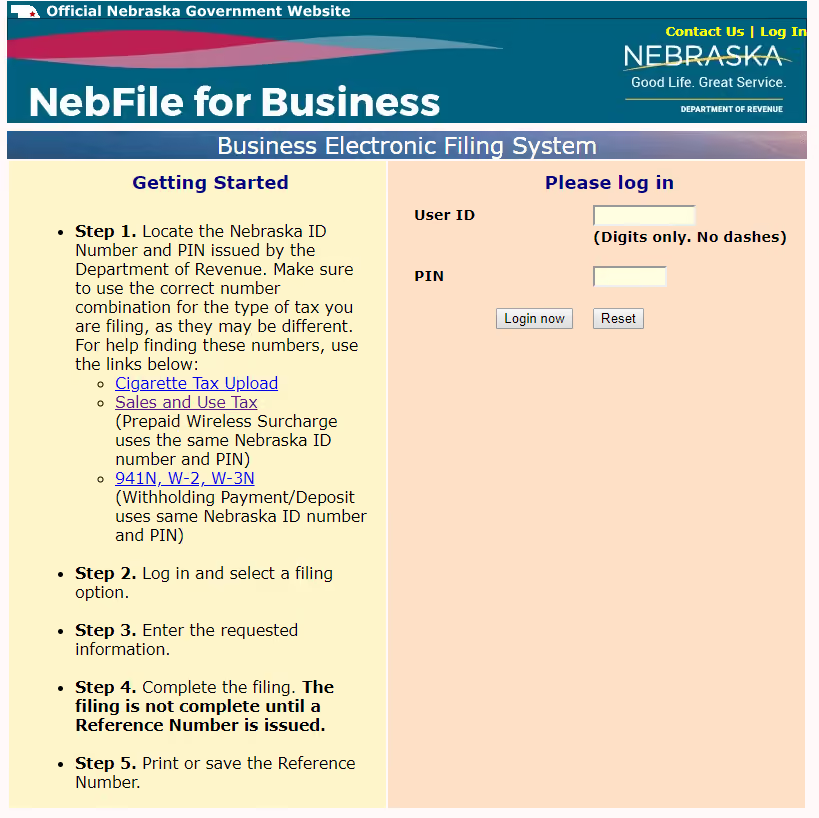
To access your account, click here to go directly on the signing page. Use the Nebraska ID number and PIN the Department of Revenue issued to log in.
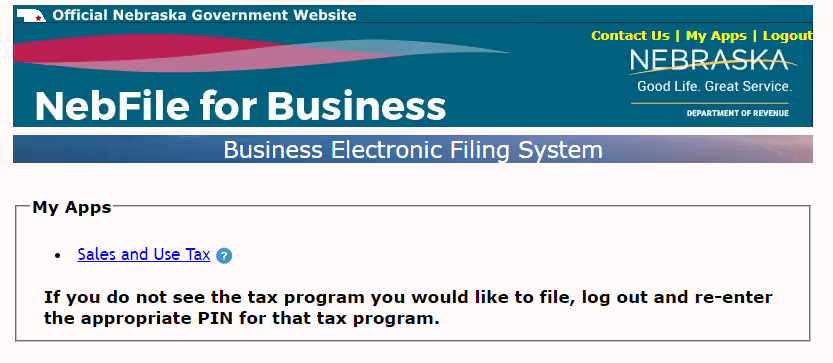
After logging in, you will be directed to your account dashboard. Select "Sales and Use Tax" from the available options to begin filing your sales tax return.
From the drop-down menu, choose the return you wish to file. If you are up-to-date with your sales tax filings, only one option should be listed.
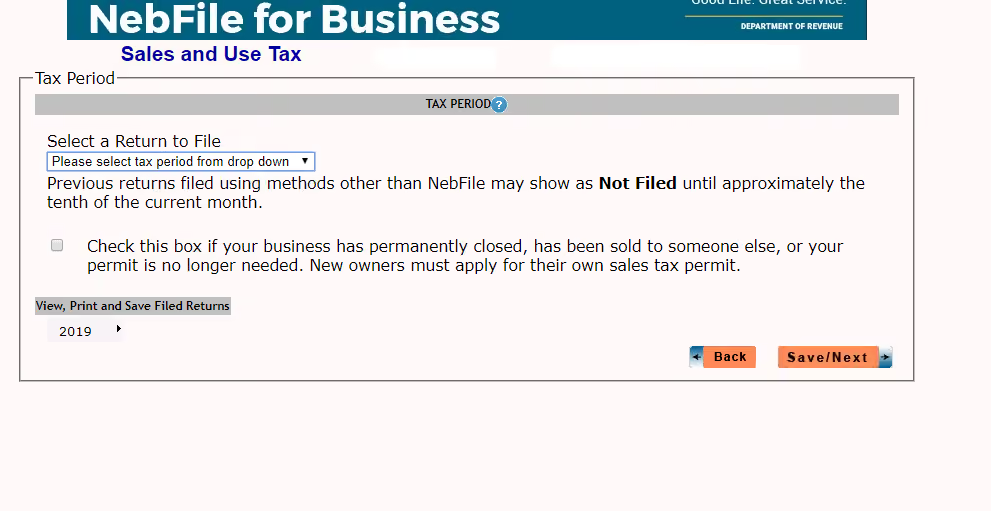
Click "Save/Next" to proceed.
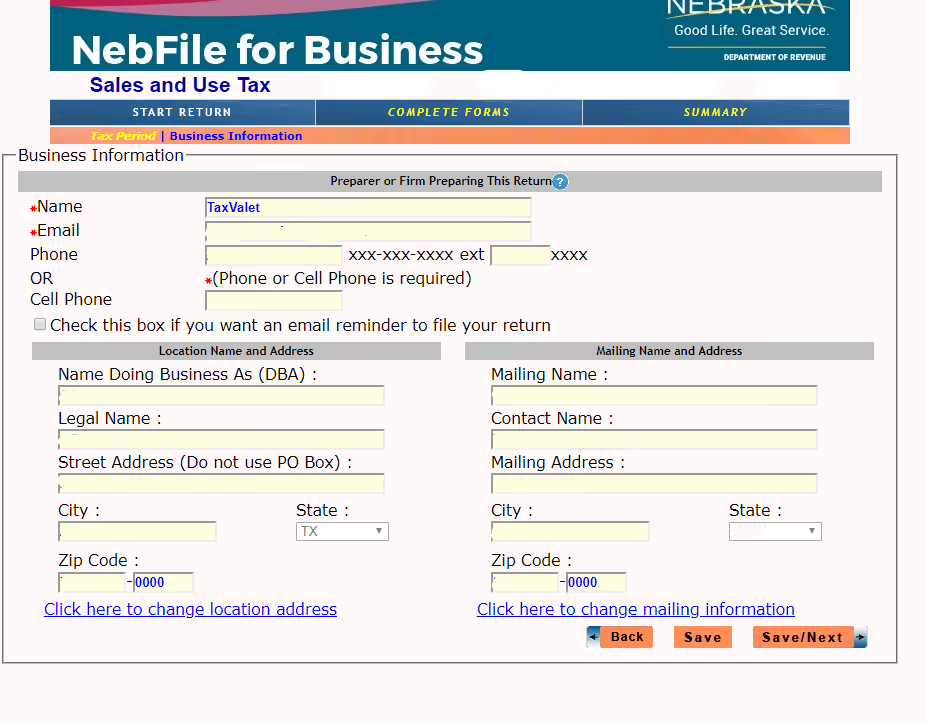
On the next page, your business information will be displayed. Verify that the data is correct and click "Save/Next" to continue.
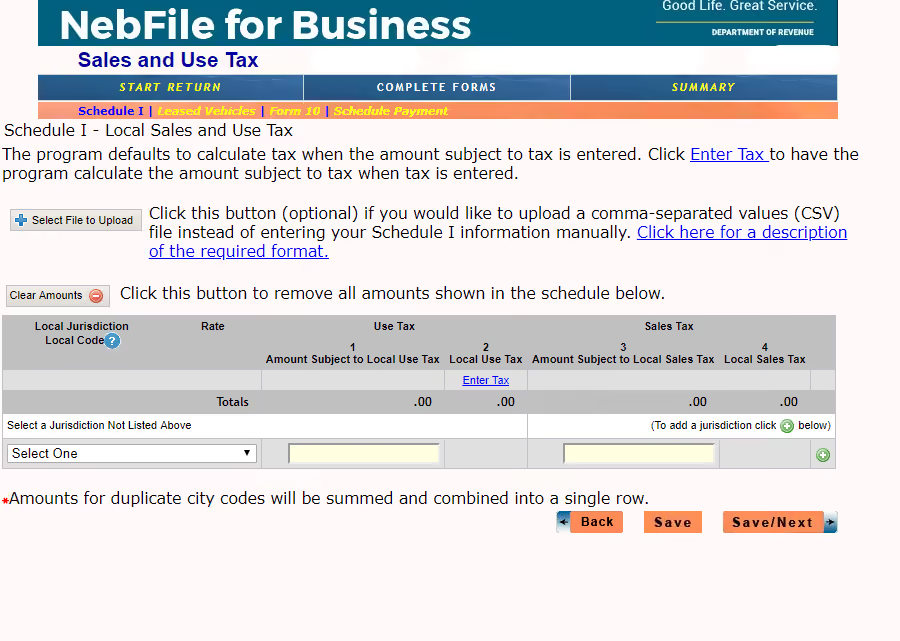
You will then be prompted to enter your jurisdictions, the amount of use, and the sales tax. Continue adding as many jurisdictions as necessary. If you only sell via marketplace providers, you may not have any jurisdictions to report. Click "Save/Next" once you have entered all the relevant information.
The following page will ask you to enter marketplace sales on the first line. You must subtract these marketplace sales from your gross sales on line 1 of "form 10." The following three lines typically do not apply to most taxpayers unless you sell motor vehicles. Click "Next" to proceed.
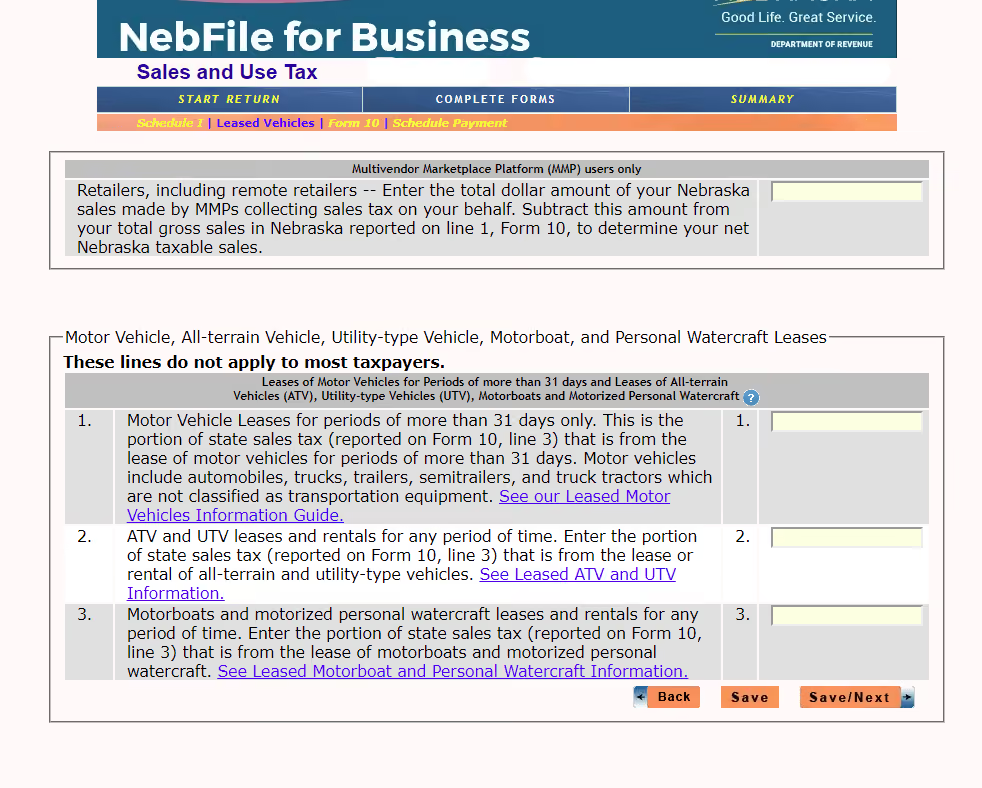
On the subsequent page, enter your gross sales on line 1, remembering to subtract marketplace sales. Provide all other requested sales tax information on the following lines. Once you have completed this section, click "Save/Next."
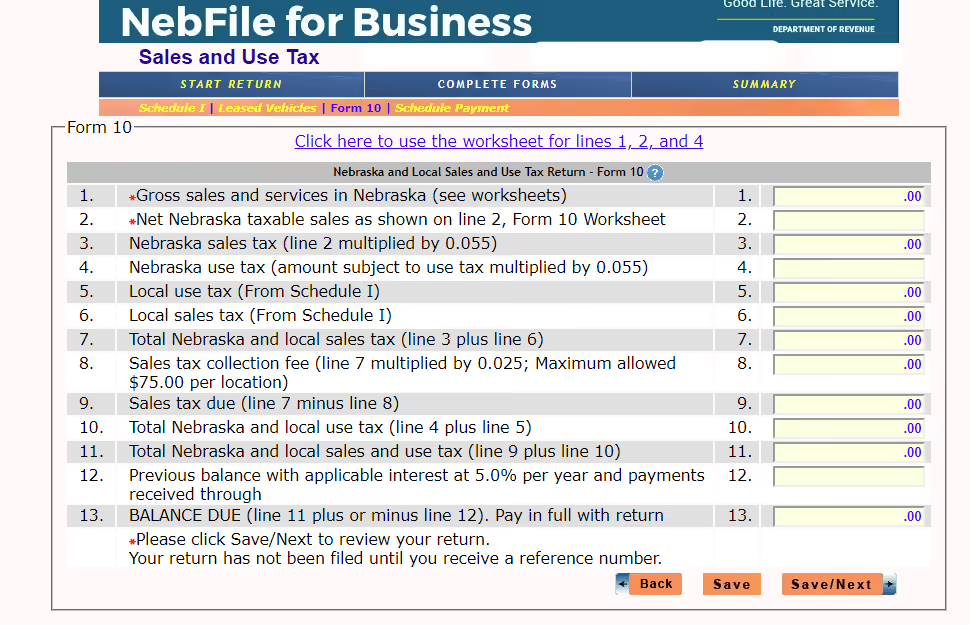
You are now ready for the final review of your return. Carefully review all the information you have entered to ensure its accuracy. If everything looks correct, click "File Return."
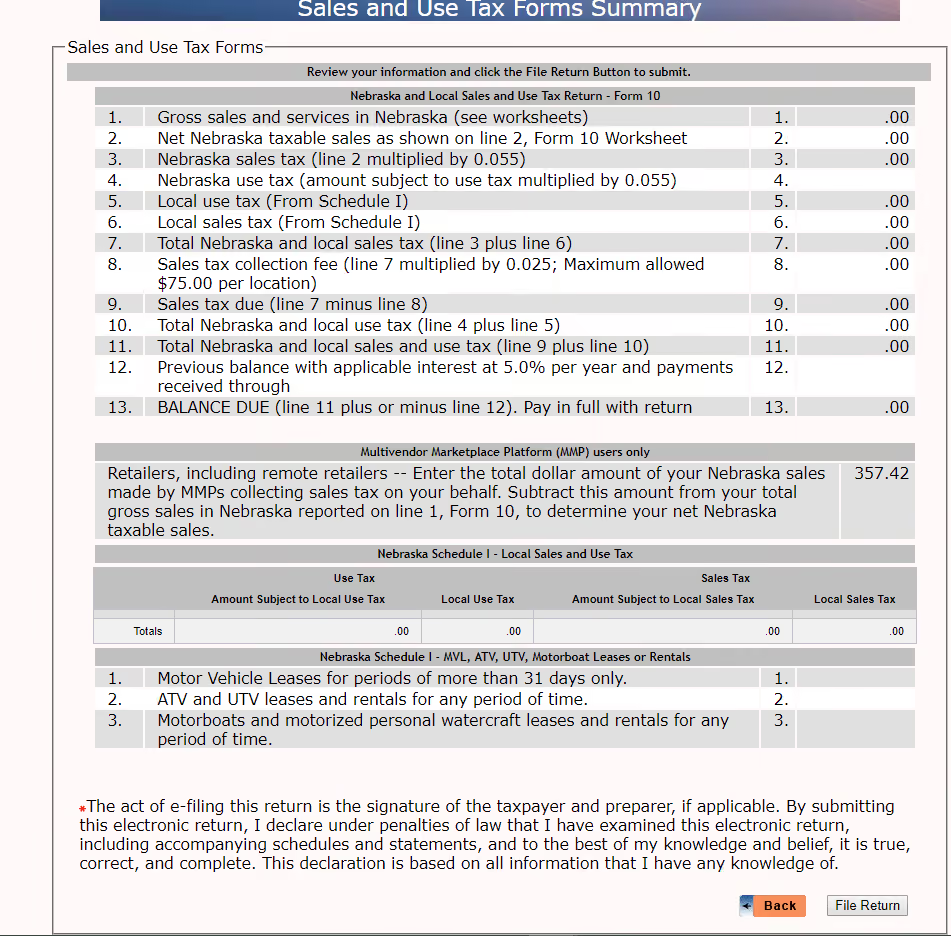
Please note that once you click "File Return," you cannot make any changes. If you notice any mistakes, navigate to the relevant section and make the necessary corrections before filing.
After submitting your return, make sure to save the confirmation number that appears on the screen. We also recommend keeping a copy of your return for your records. To save or print a copy of the return, click "Create PDF to Print or Save."
With your return filed, you are now ready to make your payment.
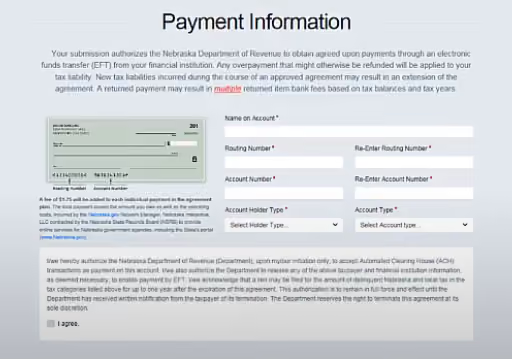
Once you have verified that all the information is correct, click "Continue" to finish submitting the return and payment.
If you forgot to print or save a copy of your sales tax return, don't worry. You can still access it by logging into your account again and choosing "Select Sales and Use Tax."
On the bottom left-hand side of the page, click "View, Print, and Save Filed Returns" to retrieve a copy of your filed return.
In addition to the Nebraska state sales tax rate of 5.5%, local jurisdictions in Nebraska can impose additional sales taxes, resulting in combined rates of up to 7.5% in some areas. Here are the current sales tax rates for some major cities in Nebraska:
What is the frequency of sales tax filing in Nebraska?
The frequency of sales tax filing in Nebraska depends on your sales volume. The Nebraska Department of Revenue will assign your filing frequency based on your sales tax liability, which can be monthly, quarterly, or semiannually.
Can I file my Nebraska sales tax return by mail?
Yes, you can file your Nebraska sales tax return by mail using the paper forms provided by the Department of Revenue. However, electronic filing through Nebraska Tax Online is encouraged for faster processing and convenience.
What happens if I miss the sales tax filing deadline in Nebraska?
You may be subject to penalties and interest on the unpaid tax amount if you miss the filing deadline. To avoid these additional charges, filing and paying your sales tax on time is essential.
Do I need to file a sales tax return in Nebraska if I didn't make any sales?
Yes, even if you have no sales or owe no tax, you must file a return for each reporting period as long as you have an active sales tax permit in Nebraska. In this case, you would file a "zero return."
Does Nebraska tax SaaS products?
No, Nebraska does not tax most SaaS products.
Dealing with sales tax can be a real headache for all types of businesses. It's time-consuming, confusing, and just plain dull. But what if there was a way to make it all go away? That's where Numeral comes in.
Numeral is like having your own personal sales tax assistant. We handle everything from monitoring your sales and registering your business in new states to collecting the right amount of tax and filing your returns on time. And the best part? You barely have to lift a finger.
With Numeral, you can say goodbye to endless hours spent trying to figure out sales tax laws and hello to more time growing your business. We integrate with all the major ecommerce and billing platforms, so setup is a breeze. Plus, our team of experts is always just a chat or text away if you need help.
So why waste another minute stressing about sales tax? Let Numeral take care of it for you. Book a demo today and see how easy sales tax compliance can be.
The trusted solution for U.S. sales tax, VAT, and GST compliance, used by 3,500+ global businesses.