Learn how to file sales tax online in Mississippi with step-by-step instructions including screenshots.



Let’s get right into the steps for filing sales tax returns in Mississippi. We’ll assume that you have already created an account. If not, you can create one in the first step.
To begin filing your sales tax return, follow this link: https://tap.dor.ms.gov/_/.
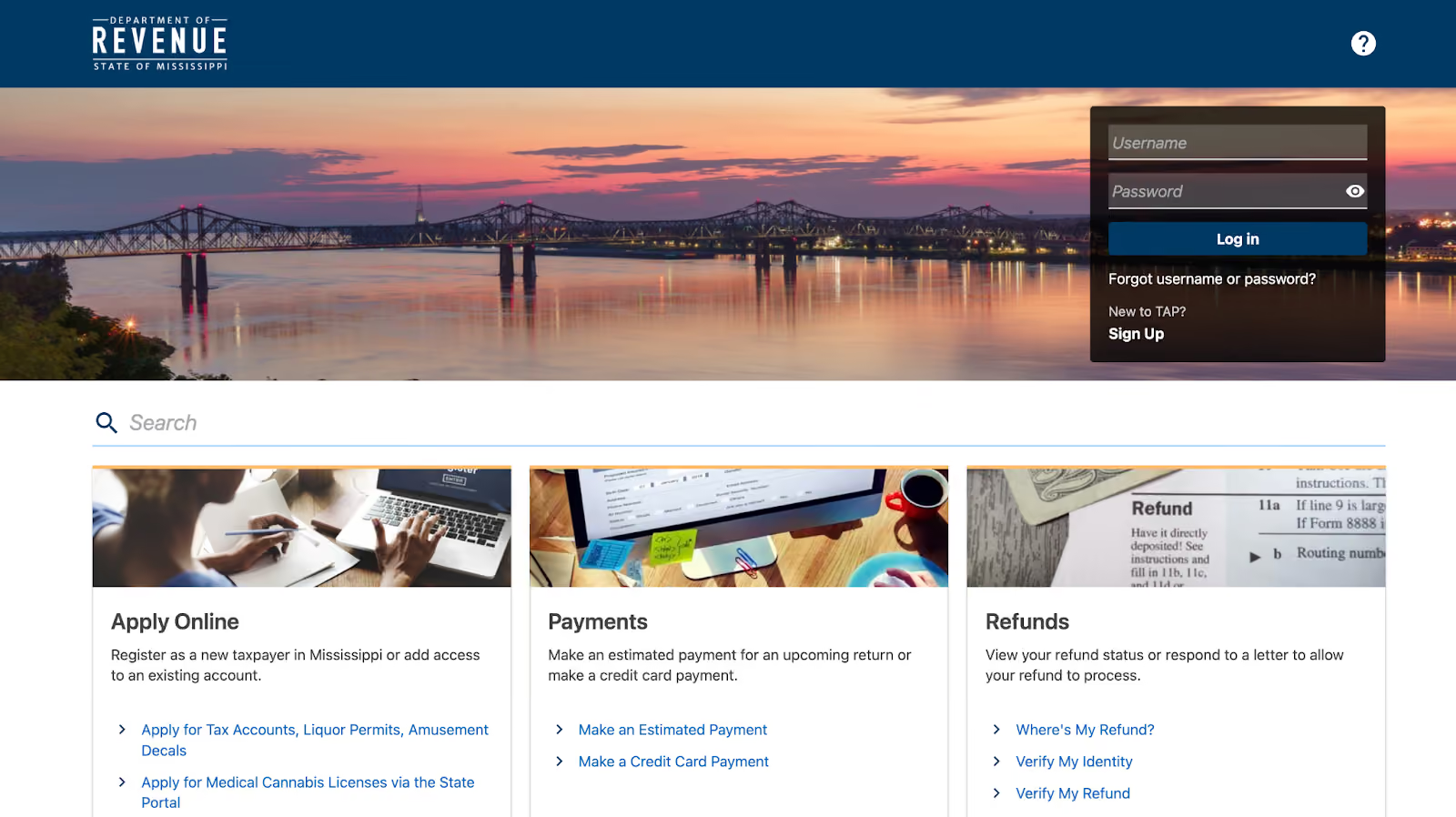
You will be directed to the Mississippi Department of Revenue's Taxpayer Access Point (TAP) website. If you don’t already have an account, click the “Sign Up” link then click “Register as a New Taxpayer”.
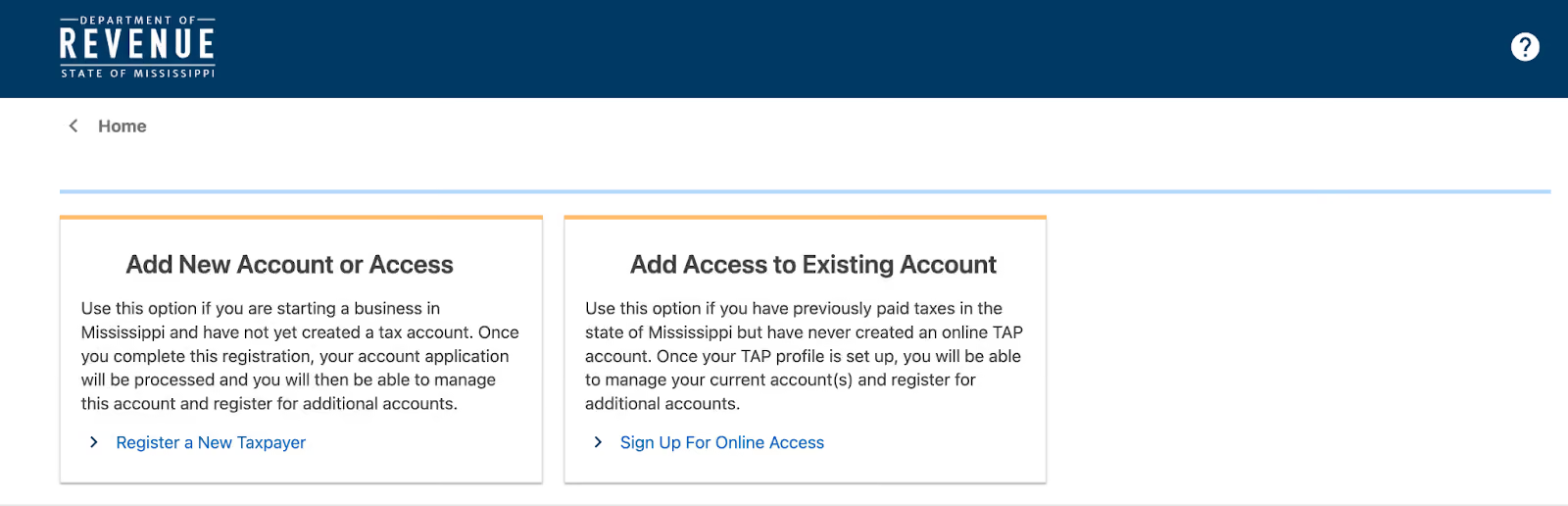
Select your account type and enter your FEIN number in the Taxpayer ID field.
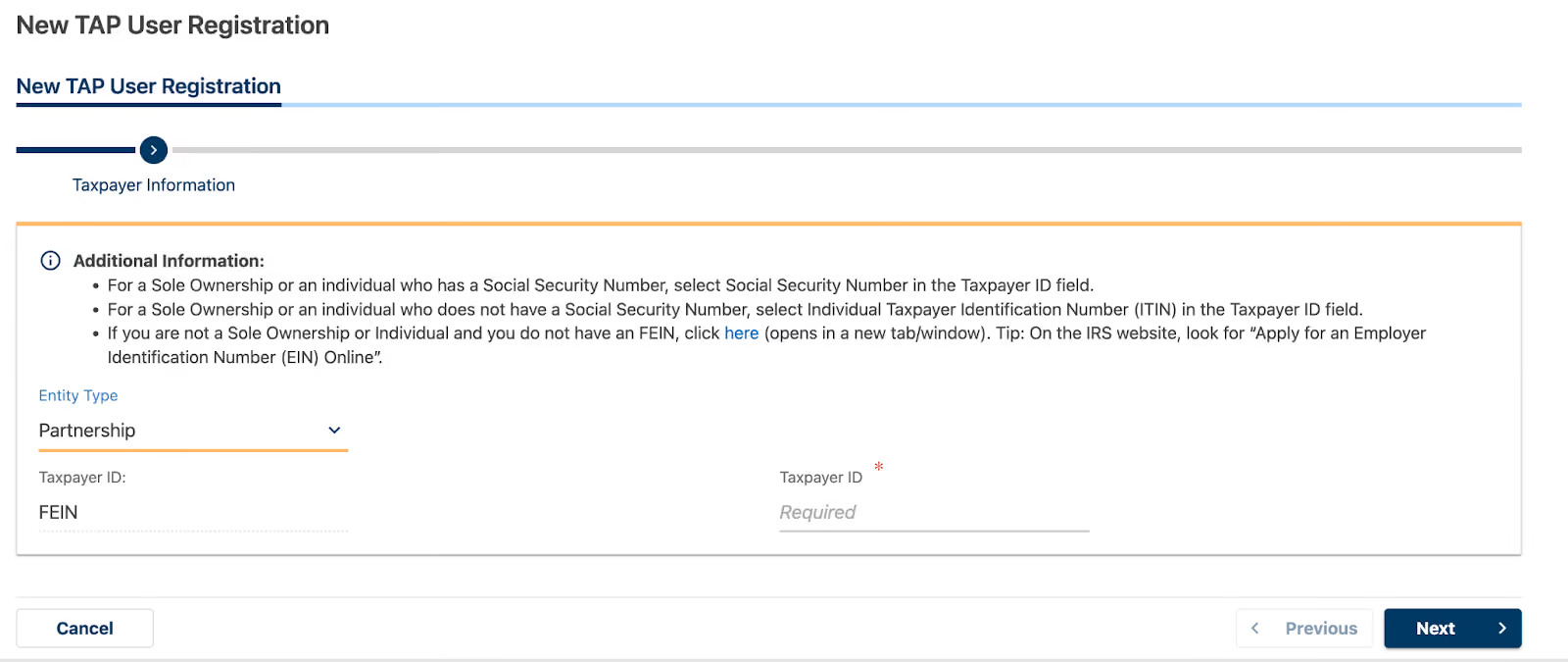
Follow through the remaining instructions to complete your registration before proceeding to the next step.
On the TAP website, sign in using your username and password. After successfully logging in, you will be directed to the state's dashboard.

Consider this page as your home base, and take a moment to explore the various links and sections. Pay attention to the "Alerts" section at the top, as it may contain important information.
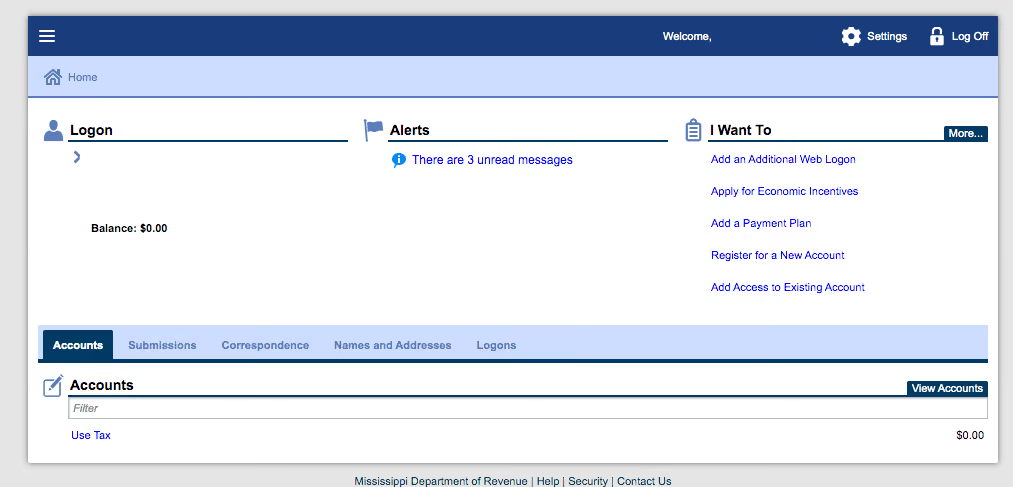
You can also check the "Correspondence" tab for letters and messages from the state. Once you feel comfortable navigating the dashboard, select the appropriate account.
On the next page, you will see a list of all the periods you have filed and the period you currently need to file. The status of your previously filed returns will also be displayed.
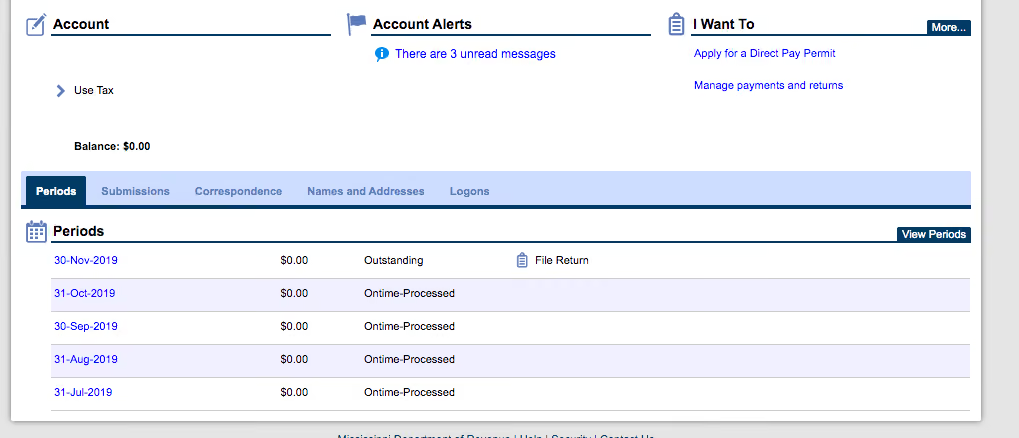
If you have a return due, click on the clickable period end date corresponding to that return. You will see another page with a "File or Amend a Return" link under the "I Want To" section. Select that option to proceed.
Now, you will be presented with a screen where you need to enter your sales data. First, click on the link to open the instructions for filing the return, and use them as a reference while filling out your return.
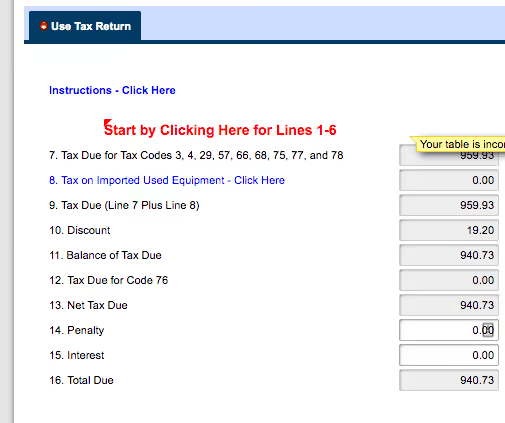
Next, click the "Start by Clicking Here for lines 1-6" link. This will open a new section where you must fill in the appropriate lines. Pay attention to the different codes:
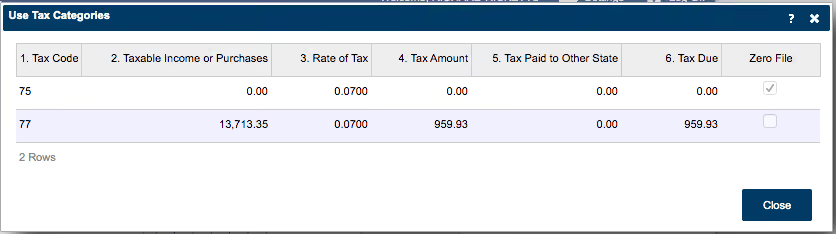
Make sure to select the appropriate code for your situation. Read each option carefully to ensure you're choosing the correct one. Once you've selected the right code and entered the correct value, click "Close."
Check line 8 to determine if it applies to your business, and refer to the instructions for clarification.
On line 13, your net tax due will be auto-populated. Verify that this amount is correct and that you don't owe any penalties or interest (assuming you're filing the return on time).
Double-check all your numbers before selecting "Submit." Congratulations—you have completed your Mississippi sales and use tax return!
If you wish to pay your sales tax due while submitting the sales tax return, select that option after filing your return. You can also pay the amount due by going back to the dashboard.
When paying the amount due with your return, you will see a screen where you can choose your payment method. The most frequently used option is the ACH debit payment method.
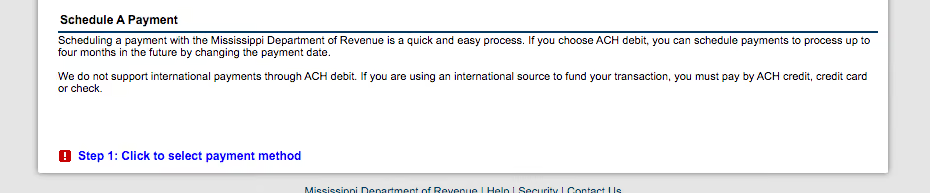
Next, select the payment type. If you are paying the balance from your return due, select the "Return" option. You will then see a page where you can enter your bank account information, payment amount, and payment date. Fill in this information carefully, ensuring that your payment date is scheduled no later than the tax return's due date.
Once you've verified that all the information is entered correctly, click "Submit."
If you forgot to print or save a copy of your sales tax return, don't worry. You can easily go back to the period to view and/or print the return you just filed. Return to the dashboard, select the "Use Tax" account, and choose the relevant period.
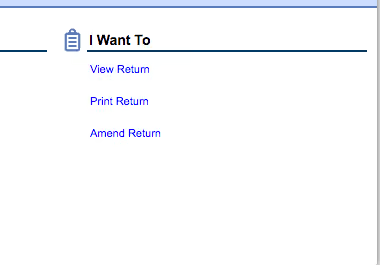
Under the "I Want To" section, select "File or Amend a Return." You should see a "Print Return" link on the right side of the page. Click on it to save or print the return for your records.
The Mississippi sales tax rate in 2026 is 7% to 8%. This comprises a base rate of 7% plus a maximum local rate of 1%. Depending on the local sales tax jurisdiction, the total tax rate can be as high as 8%.
When are Mississippi sales tax returns due?
Mississippi sales tax returns are generally due on the 20th day of the month following the reporting period. For example, if you're filing a return for January, it would be due by February 20th.
What happens if I file my sales tax return late?
Filing your sales tax return late may result in penalties and interest charges. The penalty for late filing is 10% of the tax due, with a minimum penalty of $50. Interest is calculated at 1% per month on the unpaid tax balance.
Can I file my Mississippi sales tax return online?
Yes, Mississippi allows online filing of sales tax returns through the Mississippi Department of Revenue website. Follow the steps outlined in this guide to file your return electronically.
What if I need assistance filing my Mississippi sales tax return?
If you have questions or need help filing your return, contact the Mississippi Department of Revenue at (601) 923-7700 between 8:00 a.m. and 5:00 p.m. CST. You can also find additional resources on their website.
Are SaaS products taxable in Mississippi?
Yes, as of July 1, 2023, SaaS products are taxable in MS at the normal sales tax rate.
As a business owner in Mississippi, dealing with sales tax compliance can be time-consuming and stressful. With ever-changing regulations and the constant need to keep up with filing deadlines, it's easy to feel overwhelmed. That's where Numeral comes in—we're here to take the burden of sales tax off your shoulders so you can focus on what matters most: growing your business.
Our white-glove service is designed to make your life easier.
We handle every aspect of your sales tax compliance including:
With Numeral, you'll spend less than five minutes a month worrying about sales tax.
But don't just take our word for it—see how Numeral can benefit your business. Book a demo with us today and see how Numeral can streamline your sales tax process.
The trusted solution for U.S. sales tax, VAT, and GST compliance, used by 3,500+ global businesses.